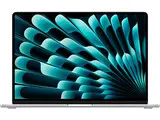
The comparison itself produces a number no single seller can publish. On 13 October 2026 RefurbMe's live US catalogue held 155 refurbished MacBook Air configurations from several sellers, led by Back Market with 179 offers, then eBay Refurbished with 49, Amazon Renewed with 36, and Mac of All Trades with 26. Apple had no MacBook Air offer on RefurbMe that day, and Gazelle, a US refurbisher RefurbMe tracks for other Apple families, still carried no MacBook Air at all. Across every MacBook Air model RefurbMe has ever tracked, the median Refurb Discount against the original Apple price is 87 percent (as of October 2026), a family-wide median that spans a decade of legacy Intel Airs, so read it as the shape of the market rather than the saving on a current model (MacBook Air stats).
Quick take
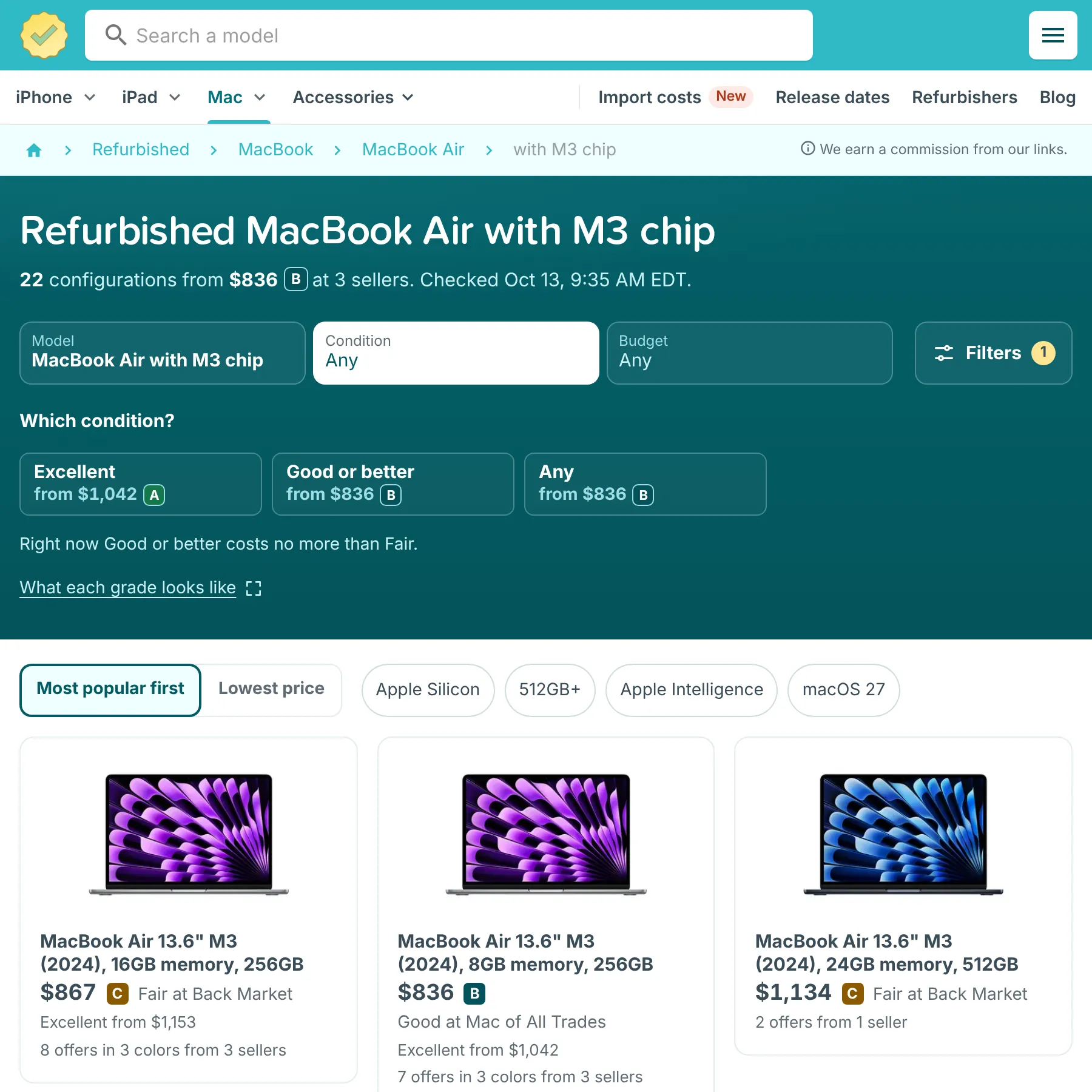
For most buyers a refurbished M3 Air is the sweet spot right now: a 13.6 inch M3 starts at $836 with 8GB or $867 with 16GB (a Fair-grade unit), undercutting the cheapest M4 at $949. If the newest chip before the M5 matters more than $82 to $113, the M4 is still there. On a tight budget the M1 near $410 still runs the latest macOS. Compare live refurbished MacBook prices before you buy.
Quick verdict: the best refurbished MacBook Air in 2026
Buy the newest MacBook Air your budget allows, then spend any leftover money on RAM rather than a flashier color. Every Apple Silicon Air shares the same fanless design and the same long software runway, so the chip generation and the memory matter far more than the year on the box.
Here is the short version by budget. Under $450, the M1 Air is the value champion and still gets the current macOS. Around $600, the M2 Air gives you the redesigned chassis, MagSafe charging, and a brighter screen for the price of a mid-range phone. Around $850, a refurbished M3 Air, with 8GB at $836 or 16GB at $867, undercuts the M4 on price while keeping dual external display support. Around $950, a refurbished M4 Air brings the newest pre-M5 chip for a modest premium over the M3.
The single best all-rounder in mid-October 2026 is still the M3 Air, not the M4, as it was a month earlier. The cheapest M3, a 13.6 inch configuration with 8GB, runs $836 at Mac of All Trades, and the 13.6 inch M3 with the fuller 16GB memory is $867 at Back Market; both undercut the cheapest M4, a 13.6 inch 16GB configuration at $949 on eBay Refurbished. Pay the roughly $82 to $113 more for the M4 only if the newest pre-M5 chip matters to you, since the M3 buys the same memory and the same dual-external-display support for less. For shoppers who only browse, write, and stream, the M1 Air near $410 is still the smarter spend. If you are still weighing a discount against a brand-new machine, see our breakdown of buying a MacBook Air new versus refurbished.
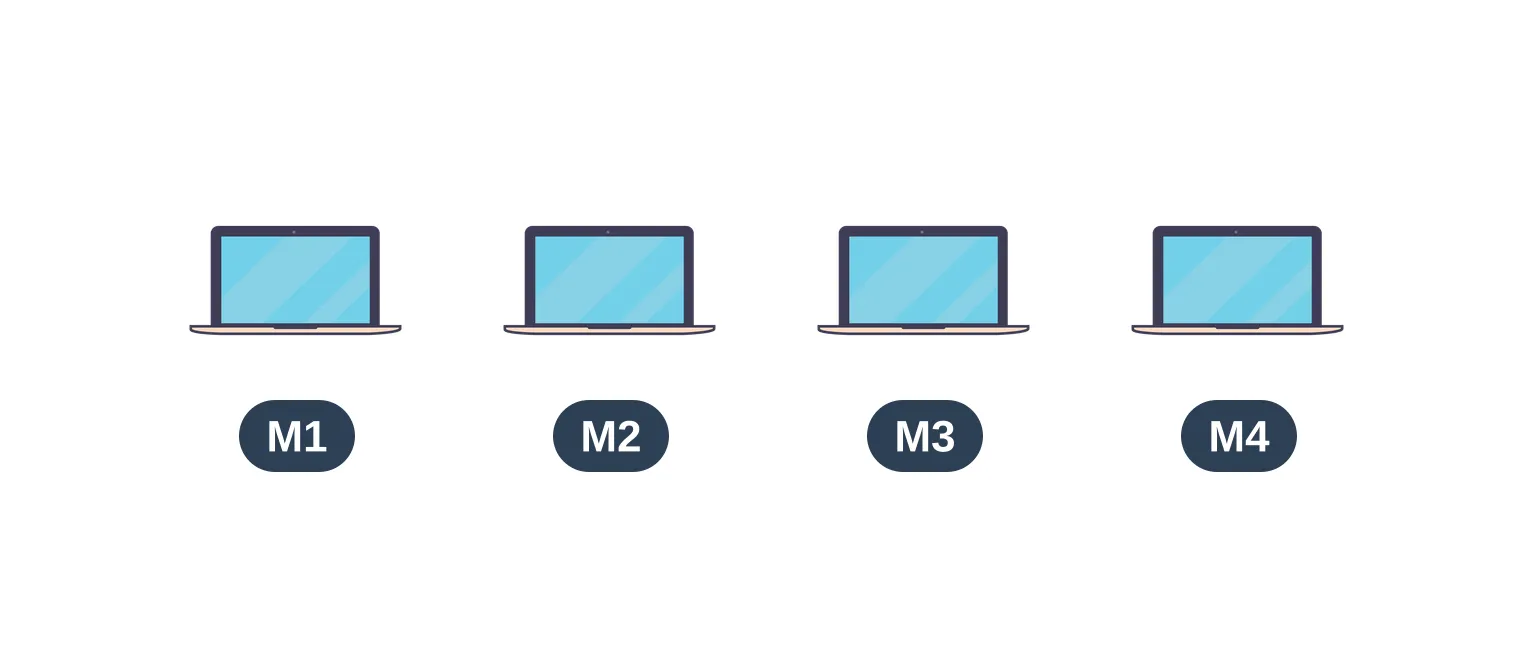
M1 vs M2 vs M3 vs M4: which MacBook Air suits you
The four refurbished Air generations split into two design eras. The M1 keeps the original wedge shape. The M2, M3, and M4 share the flat, uniform body Apple introduced in 2022, with MagSafe 3 charging and a taller display.
M1 Air (2020). The model that started Apple Silicon. It has a 13.3 inch Retina display, an 8 core CPU, two Thunderbolt ports, and a headphone jack, but no MagSafe. Base memory is 8GB, configurable to 16GB. It launched at $999 and still runs the latest macOS, which makes it the bargain of the lineup.
M2 Air (2022). The redesign. A flat 13.6 inch chassis, MagSafe 3 alongside two Thunderbolt ports, and a faster 8 core chip. Apple added a larger 15.3 inch M2 Air in 2023 for people who want more screen without a Pro. It launched at $1,199.
M3 Air (2024). The same body as the M2 with a quicker chip and one real upgrade: it can drive two external displays with the lid closed, where the M2 manages only one. Offered in 13.6 and 15.3 inch sizes, it launched at $1,099.
M4 Air (2025). The last generation before the current M5. Apple raised the base memory to 16GB, cut the launch price to $999, and added a new Sky Blue color. As a refurbished buy it is the closest thing to a current Air without paying current prices, though right now the M3 at 16GB is the cheaper way into the flat-body Air with the same memory floor.
You can read the full generational breakdown in our guide to the best refurbished MacBooks, and if you are weighing the M4 against the model that replaced it, our MacBook Air M4 vs M5 comparison covers what the extra money buys.
How much does a refurbished MacBook Air cost?
Refurbished MacBook Air prices usually track the chip generation, and in October 2026 they do so without exception. The figures below are the live US starting prices on RefurbMe on 13 October 2026, with the exact configuration each floor belongs to, because a floor price means nothing without the screen size and the memory behind it.
| Generation |
Refurbished from |
Cheapest live configuration |
New at launch |
| MacBook Air M1 (2020) |
$410 |
13.3 inch, 8GB, 256GB |
$999 |
| MacBook Air M2 (2022) |
$599 |
13.6 inch, 8GB, 256GB |
$1,199 |
| MacBook Air M3 (2024) |
$836 |
13.6 inch, 8GB, 256GB |
$1,099 |
| MacBook Air M4 (2025) |
$949 |
13.6 inch, 16GB, 256GB |
$999 |
Two things stand out. A refurbished M1 near $410 is about 60 percent off its original price, which is why it remains the budget answer six years after launch. And the M3 still sits below the M4 at every comparable tier: the cheapest M3 is $836 (13.6 inch, 8GB) and a 13.6 inch M3 with 16GB is $867, against $949 for the cheapest M4, a 13.6 inch with 16GB. The M5 Air has also reached the refurbished market, from $1,199 for a 15.3 inch with 16GB and 1TB, but the cheapest 13.6 inch M5 is $1,279, above its $1,099 launch price, so the newest chip is not a bargain yet. Prices move with stock, so treat these as the floor rather than a fixed quote, and check the live page before you commit.
Five sellers cover the US Air market, and they trade off price against peace of mind in predictable ways.
Back Market carries the widest selection across all four generations and is usually among the lowest-priced, though which merchant holds the floor shifts daily with stock and condition. On 13 October 2026 it listed 179 of the 290 live US Air offers, more than every other seller combined, including 16 of the 20 M4 offers and 33 of the 39 M3 offers. Its cheapest 16GB M3 is $867. Its sellers are vetted, every unit ships with a one year warranty, and the 30 day return window covers you if the battery or cosmetics disappoint. It is a sound first place to look before comparing the rest.
Mac of All Trades is a US specialist that sells nothing but Macs. Its pool grew to 26 MacBook Air offers on 13 October 2026, up from 16 a month earlier, and it holds the cheapest M3 Air in the catalogue, a 13.6 inch with 8GB at $836 (Good grade). That is the exception rather than the rule, since it does not hold the floor on the M1 (eBay Refurbished, $410) or the M2 (Amazon Renewed, $599). Its warranty is also the shortest of the five, one month rather than the year Back Market attaches or the 90 day Renewed Guarantee behind an Amazon Renewed listing, so check it against the wider marketplaces before you commit.
Amazon Renewed lists a mid-sized pool of Airs and folds them into the Prime ecosystem, so returns and delivery feel familiar. On 13 October 2026 it held the M2 floor, a 13.6 inch with 8GB at $599 in Excellent grade, across 36 live offers, and it listed 3 of the 20 M4 offers, the cheapest a 15.3 inch with 16GB and 512GB at $1,199. Every Amazon Renewed listing carries the Renewed Guarantee: most get a 90 day return window from receipt, Renewed Premium listings get one year, and select items get a 30 day return window followed by an 11-month Asurion warranty (Amazon Renewed Guarantee), not the flat one year sometimes assumed.
eBay Refurbished is eBay's vetted refurbished program, with graded conditions and sellers held to a trust standard. It is not the open eBay marketplace, where anyone can list an untested laptop, and the distinction matters. Its 49 Air offers hold the cheapest floor on two generations as of 13 October 2026: the M1 at $410 (Fair grade) and the M4 at $949 (13.6 inch, 16GB, Good grade). It has no M3 Air at all, but it holds the cheapest M5 Air ($1,199, a 15.3 inch with 16GB and 1TB). Each listing carries a 30 day return window. eBay's refurbished page gives Certified items a two-year warranty and Excellent, Very Good and Good items one year, so read the grade on the individual listing before you buy.
Apple Certified Refurbished sells the fewest Airs at the highest prices, and it is still worth a look. Every unit gets full functional testing, genuine Apple replacement parts as needed, a thorough clean, a brand new white box, and Apple's standard one year limited warranty, with AppleCare available on top. One detail is widely misreported: Apple's promise of a new battery and outer shell applies to iOS devices, not to Macs. Apple's own terms read "Refurbished iOS devices will come with new battery and outer shell" (Apple Certified Refurbished), so on a refurbished Air you should still check the cycle count rather than assume the battery is new. Apple's lineup also skews hard toward the current model: on 13 October 2026 its US refurbished store listed a 13-inch M5 Air from $1,099 and no M1, M2, M3, or M4, and RefurbMe carried no Apple Store Air offer that day.
A worked example shows how the choice plays out. Say you have $900 to spend. On Back Market that buys the 13.6 inch M3 with 16GB of memory at $867, a Fair-grade unit, with $33 left over, or Mac of All Trades' 13.6 inch M3 with 8GB at $836 in Good grade. It does not reach the cheapest M4 at $949 on eBay Refurbished, nor Apple's own refurbished store, which starts at $1,099 for an M5. The lesson holds either way: compare every seller and every generation, because the floor moves from seller to seller, with eBay Refurbished on the M1 and M4, Amazon Renewed on the M2 and Mac of All Trades on the M3.
How much RAM and storage do you need?
Buy 16GB of memory if you can reach it. macOS in 2026 is heavier than it was when the M1 shipped, and the unified memory in a MacBook Air cannot be upgraded later. The choice you make at checkout is permanent.
8GB still works for a focused machine: web, email, documents, video calls, and a handful of tabs. It starts to strain when you keep dozens of tabs open, edit photos, or run a virtual machine, because the system leans harder on swap and the SSD wears faster. For a laptop you plan to keep five years or more, 16GB buys headroom and holds resale value. Both the M3 and M4 can be found at 16GB without a steep configuration premium right now, the M3 usually a little cheaper than the M4, so memory floor alone is no longer a reason to pick one chip over the other.
Storage follows the same logic. 256GB is the practical floor for an Air, and it fills quickly once you store photos and large apps. 512GB is the comfortable middle. You can offload files to iCloud or an external drive, so storage is less critical than memory, but it is still fixed at purchase.
There is one wrinkle worth knowing. On the base 256GB M2 Air, Apple used a single storage chip instead of two 128GB chips, so it reads and writes slower than the 256GB M1 and the dual-chip 512GB M2 configurations. In daily use the difference is small, but if you copy large video files often, the 512GB model is noticeably quicker as well as roomier. The M3 and M4 Airs do not share this quirk to the same degree, which is another quiet reason the newer chips age better.
Battery cycle count and health: what to check
Apple states that a Mac notebook battery "is designed to retain up to 80% of its original capacity at 1000 complete charge cycles" (Apple battery service). A refurbished Air with a low cycle count and high health has most of that life ahead of it.
Before you buy, ask for two numbers: the cycle count and the battery health percentage. A good refurbished Air sits comfortably under a few hundred cycles with health at 85 percent or better. Buying from Apple does not let you skip the question: Apple guarantees a new battery and outer shell on refurbished iOS devices, not on Macs, so a refurbished Air gets genuine Apple replacement parts as needed, full functional testing, and the one year limited warranty, but not a guaranteed new cell.
You can read both numbers yourself once the machine arrives. Hold Option, click the Apple menu, choose System Information, then Power, and look at Cycle Count and Condition. If the battery is worn beyond what the listing claimed, a reputable seller's return window protects you. Battery wear is the single biggest variable in a used laptop, and it is the one most worth verifying.
How long will macOS support each MacBook Air?
Every Apple Silicon MacBook Air still gets new macOS releases, and that is the strongest argument for buying refurbished. Apple Silicon Macs typically receive around six to seven major macOS versions from launch, plus a tail of security updates after that.
The M1 Air is the test case. It launched in 2020, and Apple lists "MacBook Air with Apple silicon (2020 and later)" as compatible with macOS 27 Golden Gate, which Apple released on September 14, 2026 (macOS). That is a seventh major release for a six year old laptop. The M2, M3, and M4 Airs are newer and therefore have even longer runways, so software longevity is not a reason to skip them.
Intel MacBook Airs are the exception. Apple's macOS 27 compatibility list contains no Intel Mac at all, so the oldest Intel Airs are at the end of their software life. If a listing is cheap because it is a pre-2020 Intel model, that low price reflects a shorter remaining life. For a deeper look at lifespan, see how long MacBooks last.
Refurbished MacBook Air vs MacBook Pro
Choose the Air for portability and silence; choose the Pro for sustained performance and a brighter screen. Both run the same software, so the decision comes down to how hard you push the machine and how long you push it.
The MacBook Air is fanless. It stays silent and runs cool, which is ideal for writing, browsing, classwork, and light creative work. Under a long export or a heavy compile it throttles, because there is no fan to shed heat. The MacBook Pro adds active cooling, a brighter mini LED display, and more ports, and it holds peak speed far longer.
For most people a refurbished Air is the right buy and the better value. If your work means hours of video editing, code compilation, or 3D, price out a refurbished MacBook Pro before deciding, since the gap narrows on the used market. Our breakdown of whether refurbished MacBooks are worth it covers the trade-offs in more detail.
A quick rule of thumb settles most cases. If the work you do today runs fine on a borrowed Air, a refurbished Air will serve you for years. If you already hear fans spin on your current laptop during your real workload, that is the signal to step up to a Pro. Most students, writers, office workers, and casual creators land firmly on the Air side of that line, which is exactly why the refurbished Air market is so deep.
Checklist before you buy a refurbished MacBook Air
Run this list before you pay. A few minutes of checking is what separates a great refurbished deal from a regret.
- Confirm the grade. Cosmetic grade affects price but not function. Decide whether you care about light scuffs.
- Check battery health and cycle count. Aim for 85 percent or better and a low cycle count, and ask for the numbers whoever you buy from.
- Read the warranty and return window. A real warranty and a return option are what make refurbished safe.
- Match the specs to your needs. Favor 16GB of memory and at least 256GB of storage.
- Compare sellers and generations before checkout. The same model can vary by a hundred dollars or more between sellers, and a newer chip is sometimes cheaper than an older one.
The fastest way to do the last step is to compare every seller in one place. RefurbMe pulls live listings from Back Market, Amazon Renewed, eBay Refurbished, Mac of All Trades, and others, so you can sort the whole refurbished MacBook Air market by price.
Find the best refurbished MacBook Air deal
Compare live refurbished MacBook Air prices from Back Market, Amazon Renewed, eBay Refurbished, Mac of All Trades, and more in one place.
Compare MacBook prices