


Artificial intelligence has moved well beyond novelty on the iPhone. With Apple Intelligence now embedded in iOS 18 and later, and with every new iPhone model, from the iPhone 16e to the upcoming iPhone 17 series, shipping with on-device AI capabilities, the third-party ecosystem has responded with tools that go well beyond what Apple builds in. We tested dozens of options and narrowed the field to 20, spanning chatbots, writing assistants, design studios, transcription engines, and specialized tools, each ranked on features, usability, and value for money.
If you are shopping for a refurbished iPhone to run these tools, timing is worth knowing. According to RefurbMe's own tracking, a refurbished iPhone first reaches the market a median of 82 days after Apple's release (as of June 2026), so recent models capable of Apple Intelligence typically become available secondhand within about three months. Across every iPhone model RefurbMe has tracked, the median refurbished discount versus the original Apple release price is 78 percent (as of June 2026); that figure spans legacy models and reads high, so treat it as a family-wide reference rather than the saving on the newest handset. Source: RefurbMe iPhone stats.
Does the iPhone 17e come with AI apps pre-installed?
The iPhone 17e ships with Apple Intelligence built into iOS, which includes Writing Tools, Image Playground, Clean Up in Photos, and an upgraded Siri capable of on-screen awareness and App Intents. These are Apple's native AI features and require no additional download. However, Apple does not pre-install third-party AI assistants such as ChatGPT, Claude, or Gemini. Those must be downloaded from the App Store. ChatGPT is integrated as an optional Siri extension (you can enable it in Settings > Apple Intelligence & Siri), but the ChatGPT app itself is a separate download. The same applies to the iPhone 16e.
Best AI apps for your iPhone at a glance
| App | Category | Top feature | Price |
|---|---|---|---|
| ChatGPT | Chatbot | Advanced voice mode | Free / Plus $19.99/mo |
| Claude | Chatbot | Deep reasoning and coding | Free / Pro $20/mo |
| Google Gemini | Chatbot | Google ecosystem integration | Free / AI Ultra subscription |
| Perplexity | AI Search | Source-cited research | Free / Pro $20/mo |
| Microsoft Copilot | Productivity | Office suite integration | Free / Pro $20/mo |
| Grok | Chatbot | Real-time X data + video gen | Free / Premium via X |
| Grammarly | Writing Assistant | Grammar and tone check | Free / Premium $29.99/mo |
| Notion | Productivity | AI-powered workspace | Free / Plus $10/mo |
| Canva | Design | AI video generation | Free / Pro $12.99/mo |
| Otter | Transcription | Live meeting transcription | Free / Pro $16.99/mo |
| Replika | Chatbot | Emotional support companion | Free / Pro $7.99/mo |
| DeepL Translate | Translation | 100+ language accuracy | Free / Pro available |
| Picsart | Photo & Video | AI background removal | Free / Gold $12.99/mo |
| ELSA Speak | Language Learning | Pronunciation feedback | Free / Premium $11.99/yr |
| Prisma | Photo Editing | 500+ artistic styles | Free / Premium available |
| Whisper Transcription | Transcription | On-device transcription | Free / Cloud credits |
| Luma AI | Photo & Video | 3D scene capture | Free |
| Seeing AI | Accessibility | Object and text recognition | Free |
| ElevenLabs | Voice AI | Human-like voice generation | Free / Subscription plans |
| Taskade | Task Management | AI agents for project mgmt | Free / Starter $8/mo |
1. ChatGPT
Category: Chatbot Top features:
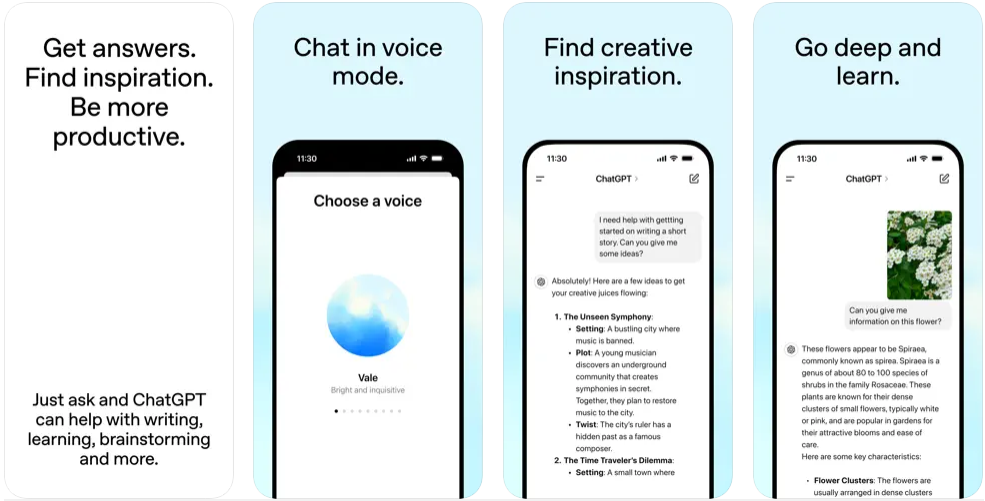
- Advanced voice mode for real-time, natural conversations
- Built-in image generation via DALL-E
- Photo analysis: scan handwritten notes, identify landmarks, extract text
- Creative writing, brainstorming, and coding assistance
- History synced across iPhone, iPad, and desktop
Price: Free | ChatGPT Plus $19.99/mo | ChatGPT Pro $200/mo
ChatGPT remains the most widely used AI assistant on iPhone, with more than 200 million weekly active users globally as of early 2026. OpenAI's official app syncs conversations across every device and provides access to the company's latest models, including GPT-4o for free users. The advanced voice mode, which lets you hold a genuine back-and-forth conversation while walking, cooking, or commuting, sets it apart from most competitors. You can upload photos for instant analysis, generate images from text prompts, and get help with everything from debugging code to planning a dinner party. The free tier is generous enough for casual use, while Plus ($19.99/mo) unlocks faster response times and priority access to new features, and Pro ($200/mo) adds o1 Pro mode for the most demanding reasoning tasks.
2. Claude
Category: Chatbot Top features:
- Exceptional reasoning for complex, multi-step problems
- Strong coding assistance across dozens of languages
- Web search with source citations
- Google Drive, Gmail, and Calendar integration
- Visual analysis of PDFs, screenshots, and charts
Price: Free | Claude Pro $20/mo
Claude by Anthropic has earned a reputation for thoughtful, nuanced responses that go beyond surface-level answers. The Claude 3.7 Sonnet model supports a 200,000-token context window, meaning it can read and reason about entire books, lengthy codebases, or extensive research documents in a single session. Where ChatGPT excels at breadth, Claude shines at depth, particularly for coding, research, and analytical work. The app connects to Google Workspace, meaning it can pull context from your emails, documents, and calendar when you need it. Upload a PDF, a screenshot of a spreadsheet, or a photo of a whiteboard, and Claude will extract and analyze the content. Voice dictation in multiple languages rounds out a polished mobile experience.
3. Google Gemini
Category: Chatbot Top features:
- Seamless integration with Google Search, Maps, Gmail, and YouTube
- Live camera mode for real-time visual Q&A
- Canvas tool for generating images, infographics, and mockups
- Turn any file into a listenable podcast
- Study tools with AI-generated quizzes and flashcards
Price: Free | Google AI Pro and Ultra subscriptions available
Google Gemini is the AI assistant that makes the most sense if you already live inside Google's ecosystem. It can draft emails in Gmail, pull directions from Maps, summarize YouTube videos, and plan trips, all from a single conversational interface. The Live mode lets you share your camera feed so Gemini can describe what it sees in real time, which is surprisingly useful for identifying plants, translating signage, or troubleshooting hardware. It also converts documents and articles into podcast-style audio, a feature students and commuters appreciate.
4. Perplexity
Category: AI Search Top features:
- AI-powered search that cites every source
- Pro Search and Deep Research for thorough investigation
- Thread follow-ups for maintaining research momentum
- Voice input for hands-free queries
- Built-in assistant for drafting emails and scheduling
Price: Free | Perplexity Pro $20/mo
Perplexity has carved out a distinct niche as the AI app that treats search the way it should work: direct answers backed by numbered citations, not pages of ads and blue links. It processes more than 15 million queries per day and draws on models from OpenAI, Anthropic, and Meta, synthesizing results into clean, verifiable summaries. Pro Search digs deeper when you need it, and the thread system lets you refine your research without starting over. For anyone who spends time fact-checking claims or compiling information from multiple sources, Perplexity is indispensable.
5. Microsoft Copilot
Category: Productivity Top features:
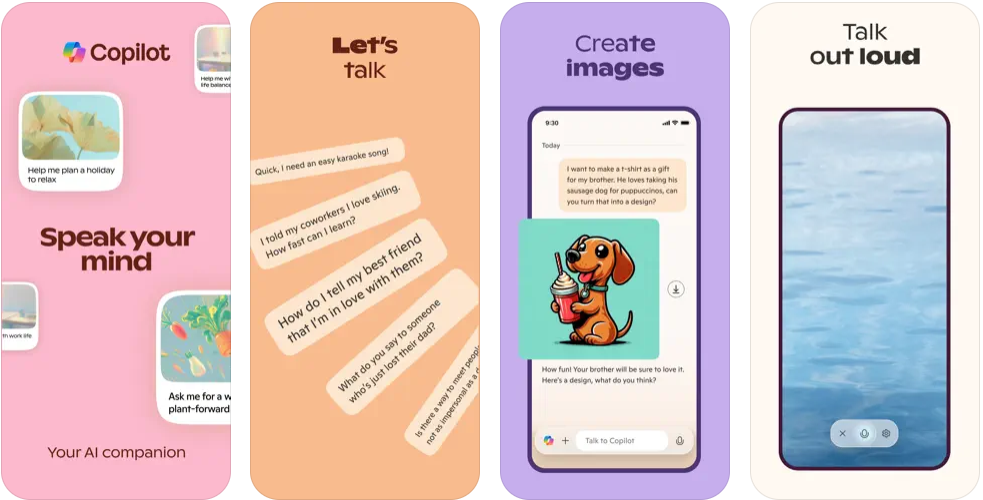
- AI-powered assistant with web access
- Image generation with DALL-E 3
- Deep conversational ability on complex topics
- Integration with Microsoft 365 apps
- Enterprise Mode for data protection
Price: Free | Copilot Pro $20/mo
Microsoft Copilot brings the power of GPT-4 and DALL-E to your iPhone at no cost for the base tier. It excels at productivity tasks: composing emails, summarizing documents, generating images, and answering research questions with web-sourced data. The Enterprise Mode adds a layer of data protection that makes it a sensible choice for business users. If your workflow revolves around Word, Excel, Outlook, or Teams, Copilot Pro's deeper integration with the Microsoft 365 suite makes it worth the subscription.
6. Grok
Category: Chatbot Top features:
- Real-time information from X (Twitter) and the web
- AI image and six-second video generation with sound
- Live Camera in Voice Mode for visual interaction
- Customizable AI personalities
- 3D animated avatar model
Price: Free | Premium features via X subscription
Grok, developed by xAI, distinguishes itself through real-time access to data from X and the broader web. That makes it the strongest option for questions about breaking news, trending topics, and public sentiment. The video generation feature, which produces six-second clips with audio from a text prompt, is genuinely impressive, and the Live Camera mode lets Grok see and comment on whatever your iPhone camera is pointing at. The customizable personality system (including Assistant, Storyteller, and Romantic modes) adds a layer of flexibility that most competitors lack.
7. Grammarly
Category: Writing Assistant Top features:
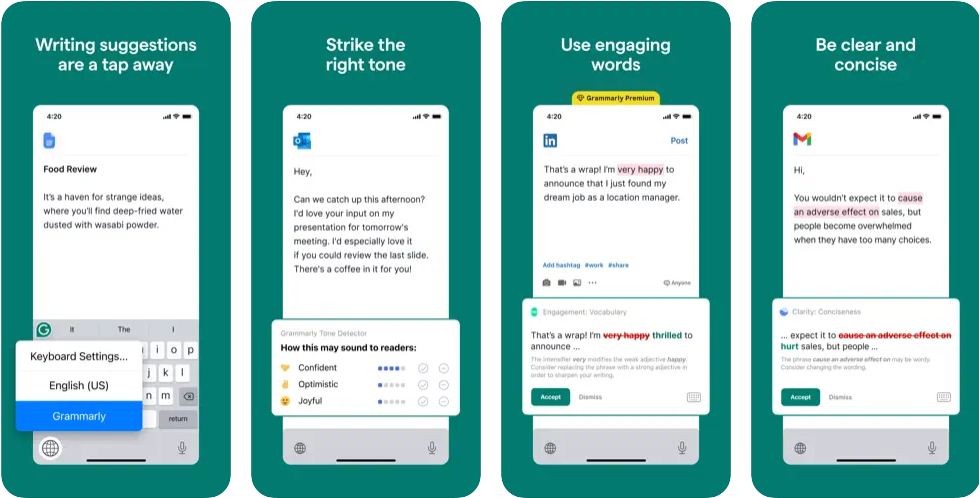
- Real-time grammar, spelling, and tone feedback across all apps
- AI-powered rewrites in 19 languages
- Vocabulary and clarity enhancements (Premium)
- Multi-word text predictions and smart autocorrect
- Plagiarism and AI detection
Price: Free | Premium $29.99/mo | Annual $139.99/yr
Grammarly's AI keyboard integrates directly into every app on your iPhone, catching errors and suggesting improvements as you type. The app claims to catch 3x more writing issues than standard spell-checkers and now rewrites across 19 languages, including German, Spanish, French, Portuguese, and Italian. Premium subscribers get tone detection, vocabulary suggestions, and a cloud-based document editor for longer writing projects.
8. Notion
Category: Productivity Top features:
- All-in-one workspace for notes, tasks, and projects
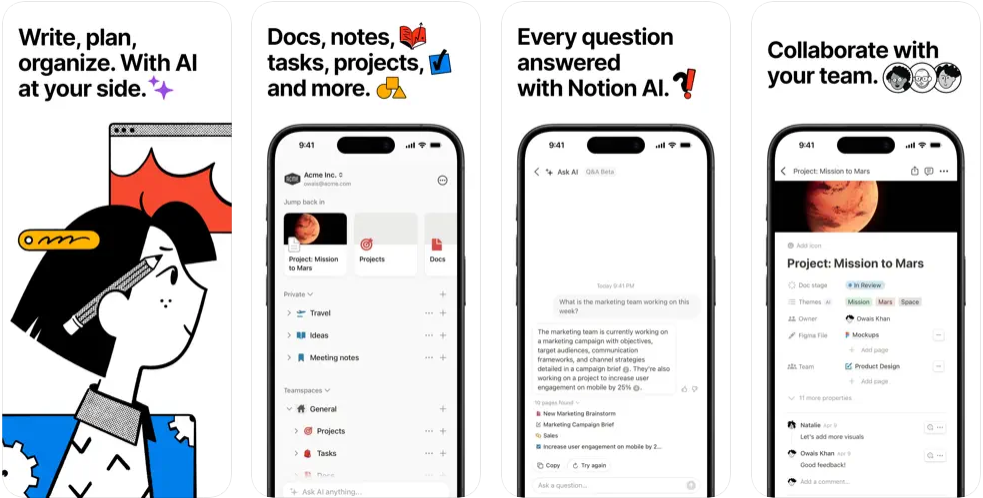
- Notion AI for searching, summarizing, and generating content
- AI Meeting Notes for automatic summaries
- Database autofill with AI analysis
- Maps View for location-based data
Price: Free | Plus $10/mo | Business $18/mo
Notion has grown from a note-taking tool into a full AI-powered workspace used by startups and enterprises alike. The AI features let you search across your entire workspace with natural language, generate content from prompts, and auto-fill database tables with structured data. AI Meeting Notes captures discussions and produces actionable summaries, while the new Maps View turns any database into an interactive map. The mobile app syncs seamlessly with the desktop version, so you can capture ideas on your iPhone and expand them at your desk.
9. Canva
Category: Design Top features:
- AI video generation with Veo 3 (text-to-video with sound)
- Background removal and AI photo enhancement
- Thousands of customizable templates
- Bulk create automation for design variations
- Getty Images stock library integration
Price: Free | Canva Pro $12.99/mo
Canva has transformed from a simple template tool into an AI-driven creative studio. The headline feature in 2026 is AI video generation powered by Veo 3, which creates professional-quality video clips, complete with sound, from a text prompt. Beyond video, the app handles photo editing, social media graphics, presentations, resumes, and business cards with a drag-and-drop interface that requires zero design experience. The bulk create feature, which generates thousands of design variations from a data set, is a standout for marketers and small business owners.
10. Otter
Category: Transcription Top features:
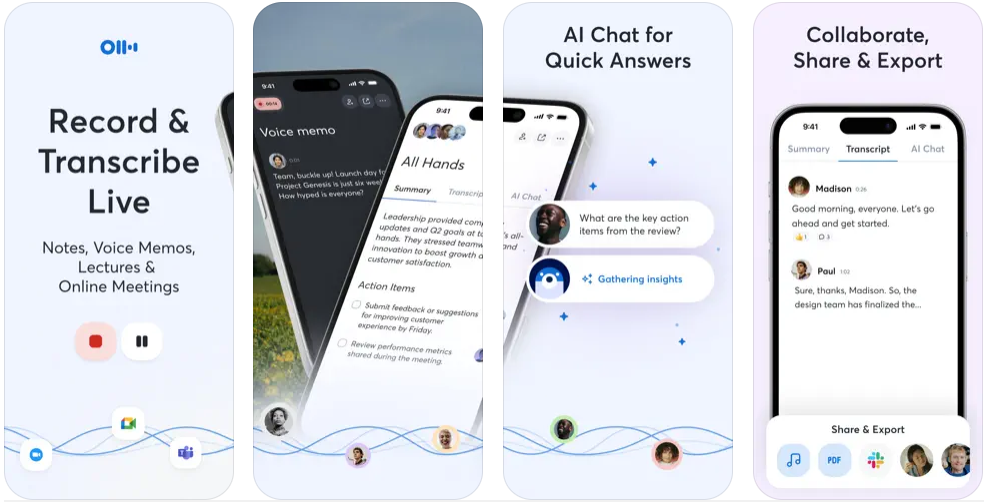
- Real-time transcription for meetings, interviews, and lectures
- Automated meeting notes with OtterPilot
- Integration with Zoom, Google Meet, and Microsoft Teams
- Speaker identification and keyword summaries
- Searchable, shareable note library
Price: Free | Otter Pro $16.99/mo
Otter is the go-to transcription app for professionals who sit through meetings, interviews, or lectures. OtterPilot joins your Zoom, Google Meet, or Teams calls automatically, records the audio, identifies speakers, and produces searchable transcripts with highlighted keywords. The free tier handles basic transcription needs, while Pro unlocks longer recordings, advanced search, and team collaboration features. If you spend a significant part of your week in meetings, Otter pays for itself in recovered time.
11. Replika
Category: Chatbot Top features:
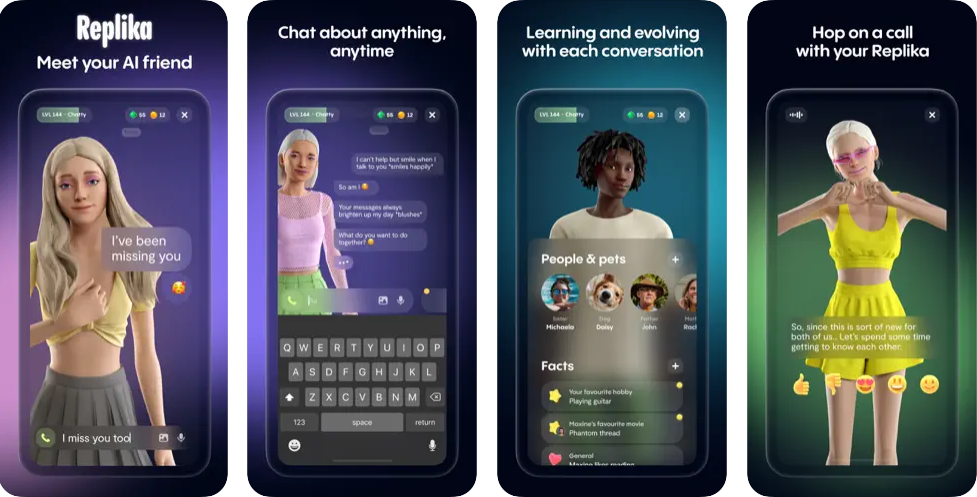
- AI companion with evolving personality and memory
- Customizable 3D avatars
- Mood tracking and emotional support
- Voice calls and proactive check-ins
- Image generation and internet access
Price: Free | Replika Pro $7.99/mo
Replika occupies a unique space among AI apps: it is designed not to answer questions or boost productivity, but to provide genuine emotional companionship. The AI learns your interests over time, remembers past conversations, and checks in proactively. The 3D avatar system lets you customize your companion's appearance, and voice calls make the interaction feel more personal. For users seeking a judgment-free space to think out loud, process emotions, or practice conversation skills, Replika offers something no productivity-focused chatbot can match.
12. DeepL Translate
Category: Translation Top features:
- Translation across 100+ languages with best-in-class accuracy
- Image, speech, and document translation
- Editable glossaries for consistent terminology
- Formal and informal tone options (Pro)
- Privacy-focused: no personally identifying data collected
Price: Free | DeepL Pro available
DeepL consistently outperforms Google Translate and Apple's built-in translation in head-to-head accuracy tests, particularly for European languages like German, French, and Italian. The app translates text, photos, speech, and full documents, including scanned PDFs and manufacturer manuals. Professional users appreciate the editable glossary feature, which ensures consistent terminology across translations, and the formal/informal toggle available in Pro. DeepL also collects no personally identifying data, a meaningful advantage for privacy-conscious users.
13. Picsart
Category: Photo & Video Top features:
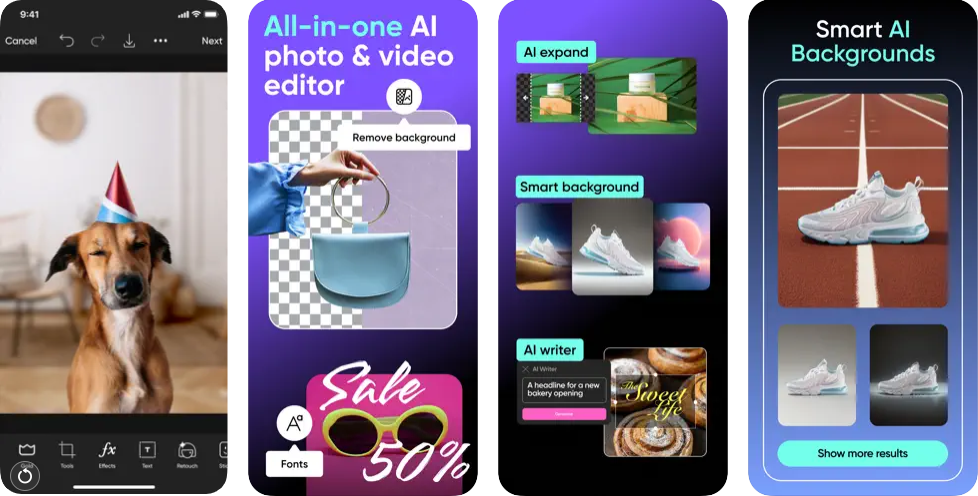
- AI-powered background removal and replacement
- AI Enhance for improving low-quality images
- Stylized AI filters, effects, and avatars
- Comprehensive video editing tools
- Community of 150 million+ creators
Price: Free | Picsart Gold $12.99/mo
Picsart remains one of the most versatile photo and video editors on iPhone, combining traditional editing tools with AI features that genuinely save time. The one-tap background removal is fast and accurate, the AI Enhance tool rescues blurry or low-resolution shots, and the filter library is vast enough to keep you experimenting for hours. The app also handles video editing, template-based design, and avatar creation, making it a credible Canva alternative for users who prioritize photo editing over graphic design.
14. ELSA Speak
Category: Language Learning Top features:
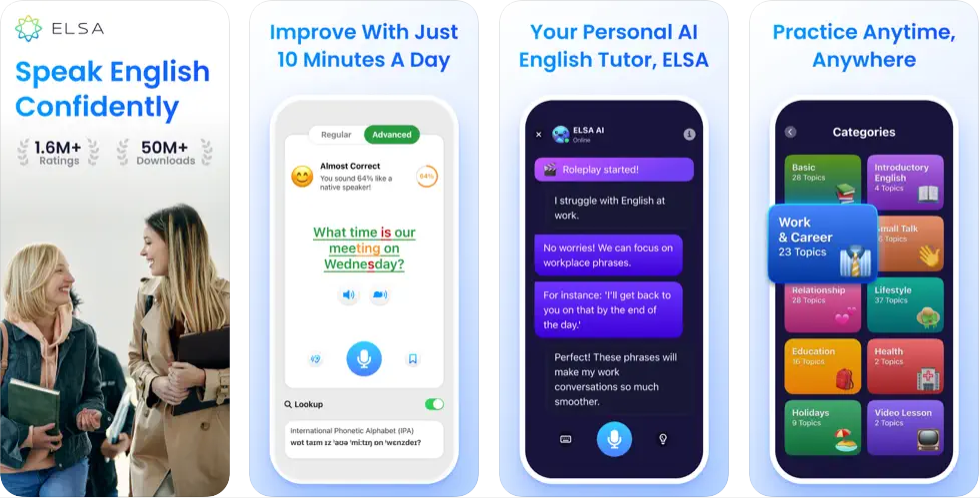
- AI feedback on English pronunciation at the phoneme level
- 8,000+ interactive activities for pronunciation, grammar, and vocabulary
- Tailored lessons for IELTS and TOEFL preparation
- Progress tracking with data-driven insights
- Focus on tricky sounds and nuanced pronunciation
Price: Free | Premium $11.99/yr
ELSA Speak uses speech recognition AI to analyze your English pronunciation at the level of individual sounds, not just words. The app covers over 40 English accents and has been used by more than 7 million learners across 195 countries. That granularity makes it far more effective than general language apps for users who want to reduce an accent or prepare for standardized tests like IELTS and TOEFL. The 8,000+ exercises cover grammar and vocabulary alongside pronunciation, and the progress dashboard tracks improvement over time. At $11.99 per year for Premium, it is among the best-value AI subscriptions on this list.
15. Prisma
Category: Photo Editing Top features:
- 500+ artistic styles updated daily
- Portrait-specific styles for selfies
- Portrait Segmentation: apply styles to person or background separately
- HD photo saving (Premium)
- Stackable filters for layered effects
Price: Free | Prisma Premium available
Prisma transforms ordinary photos into artwork that genuinely looks hand-painted, using neural networks trained on the styles of famous artists. The library of 500+ styles receives daily updates, so there is always something new to try. The Portrait Segmentation feature, which lets you apply a style to the subject or the background independently, unlocks creative possibilities that simple filter apps cannot match. Long-time users report that stacking multiple filters produces results that would take hours to achieve manually. The free tier includes enough styles for casual use, while Premium unlocks the full library and HD exports.
16. Whisper Transcription
Category: Transcription Top features:
- OpenAI's Whisper model for high-accuracy transcription
- On-device transcription for offline and private use (iPhone 13+)
- Cloud transcription for ultra-high quality at speed
- AI summaries and chat-based transcript analysis
- 100+ language support with auto-detection
Price: Free | Cloud transcription credits available
Whisper Transcription brings OpenAI's state-of-the-art speech recognition directly to your iPhone. The standout feature is on-device transcription, available on iPhone 13 and newer, which processes audio without sending a single byte to the cloud. That makes it the best option for sensitive recordings like medical notes, legal conversations, or personal voice journals. The cloud option delivers even higher accuracy when privacy is less of a concern. AI-powered summaries extract key points from lengthy recordings, and the chat feature lets you ask questions about your transcript as if you were querying a document.
17. Luma AI
Category: Photo & Video Top features:
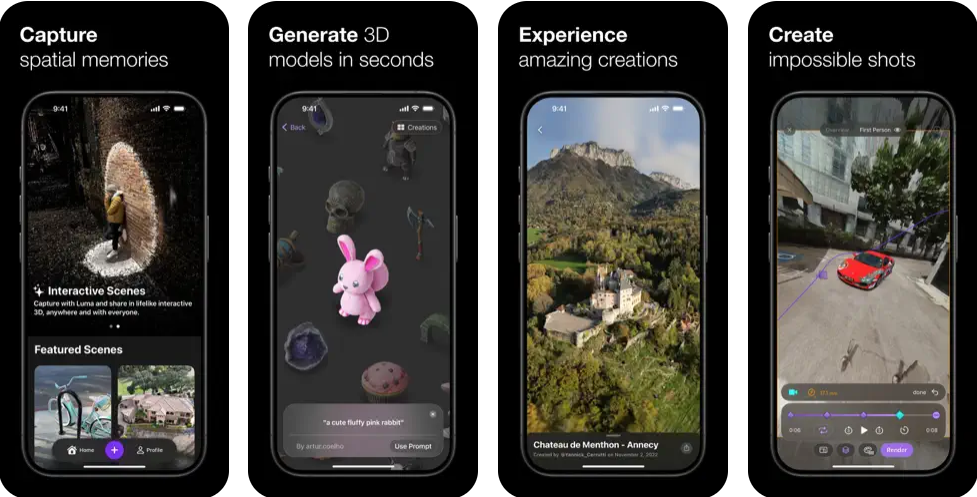
- Capture lifelike 3D scenes with your iPhone camera
- No LiDAR required: works with iPhone 11 or newer
- Export 3D meshes for game assets and VFX
- Cinematic product video creation
- Supports NeRFs and Gaussian Splats export
Price: Free
Luma AI turns your iPhone camera into a 3D scanner. Point it at an object, a room, or an outdoor scene, and the app constructs a detailed three-dimensional model you can rotate, share, or export to professional tools like Blender and Unreal Engine. No LiDAR sensor is needed; an iPhone 11 or later is sufficient. The technology is particularly valuable for product videography, game asset creation, and architectural visualization, and it remains completely free.
18. Seeing AI
Category: Accessibility Top features:
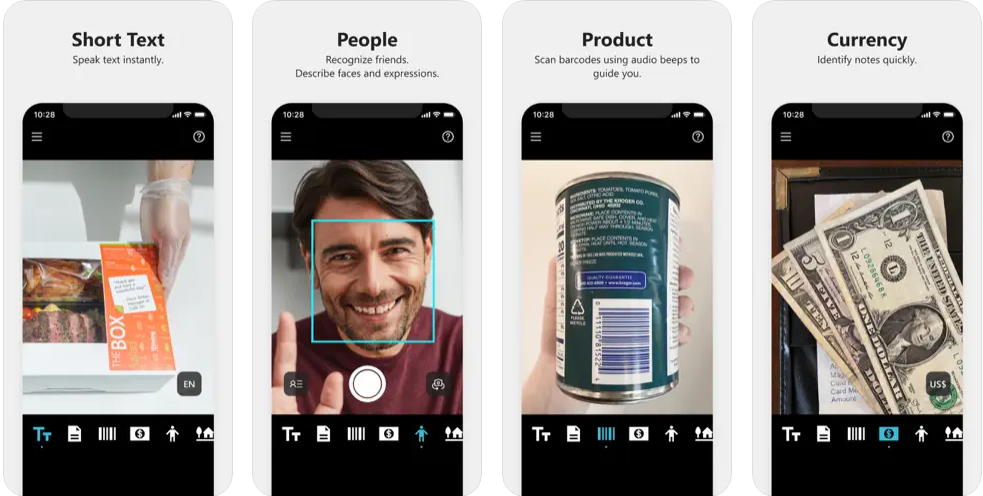
- Reads text aloud as it appears in front of the camera
- Scans barcodes and identifies products with descriptions
- Recognizes saved faces, currency, and colors
- Scene descriptions and spatial audio for navigation
- Audio-augmented reality for exploring environments
Price: Free
Seeing AI, developed by Microsoft, is a free accessibility app designed for the blind and low-vision community. It uses your iPhone's camera and AI to narrate the world: reading printed text, identifying currency, recognizing faces, and describing entire scenes. The spatial audio feature provides an audio-augmented reality experience that helps users navigate unfamiliar spaces. While built for accessibility, sighted users also find it useful for quick text extraction, barcode scanning, and product identification.
19. ElevenLabs
Category: Voice AI Top features:
- Human-like AI voice generation from text
- Multiple voice profiles and styles
- Text-to-audiobook conversion
- Content creator and influencer tools
- Responsive customer support
Price: Free | Subscription and credit plans available
ElevenLabs produces the most natural-sounding AI voices currently available on iPhone. The platform offers more than 3,000 voice options across 32 languages, and its text-to-speech engine handles everything from short social media clips to full audiobook narration with quality that is difficult to distinguish from a human recording on first listen. Content creators use it for voiceovers, podcasts, and video narration, while authors and publishers use the audiobook pipeline to produce spoken versions of written work. The subscription model combines a monthly plan with generation credits, which can feel restrictive for heavy users, but the output quality justifies the cost.
20. Taskade
Category: Task Management Top features:
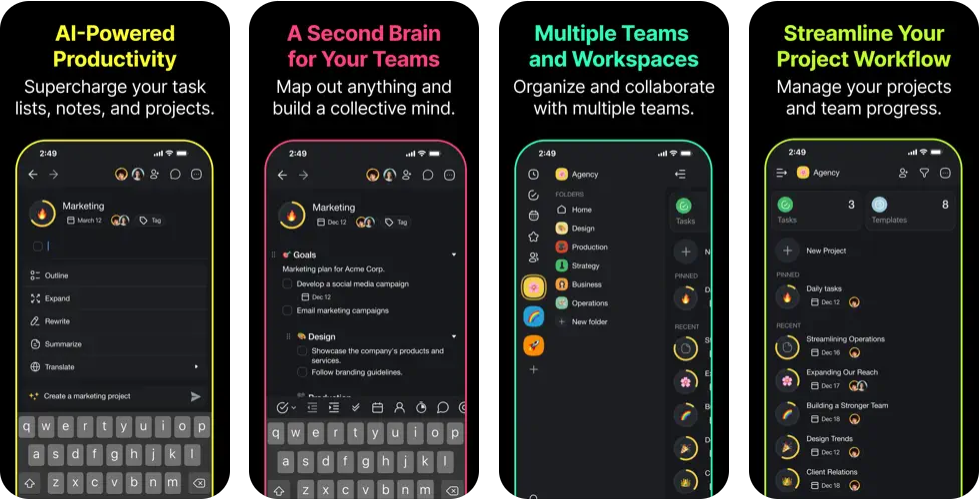
- AI agents that automate research, outlining, and summarization
- Built-in AI chat assistant for instant answers
- Document chat for interacting with PDFs and CSVs
- Real-time collaboration tools for team projects
- Customizable templates for various workflows
Price: Free | Starter $8/mo
Taskade combines task management, AI chat, and team collaboration in a single app. What sets it apart from other productivity apps is the AI agent system: you can deploy autonomous agents that handle research, content generation, and project organization in the background while you focus on other work. The document chat feature lets you upload a PDF or CSV and ask questions about its contents, and the template library covers everything from meeting agendas to sprint planning. It is a strong pick for small teams that want AI integrated directly into their project management workflow.
FAQ
Takeaway
The AI app landscape on iPhone has matured dramatically. General-purpose assistants like ChatGPT, Claude, and Gemini now compete with specialized tools for writing, translation, transcription, design, and voice generation, each strong enough to stand on its own. The best approach is to pick a primary chatbot for everyday questions, then layer in specialized apps where you need deeper capability.
If you are considering upgrading to an iPhone to take advantage of these AI tools, a refurbished iPhone delivers the same performance at a lower price point, and with a warranty. See our guide to the best places to buy a refurbished iPhone for a full comparison of retailers. At RefurbMe, you can compare all available refurbished iPhones from sources including Back Market, Amazon Renewed, and iPhones officially refurbished by Apple.
Compare all available refurbished iPhones in real time below.


64GB storage
Midnight

Last updated: Jul 2, 2026 · First published: Jan 7, 2025


