23 Best Mac Apps in 2026 (MacBook Pro, Air & iMac)
Mac users in 2026 have more powerful and innovative apps at their fingertips than ever before, thanks to the relentless pace of Apple Silicon development. Machines like the M4 MacBook Pro and M4 MacBook Air have raised the performance ceiling dramatically, and developers have responded with software that pushes those chips to their limits. Whether you are looking to streamline your workflow, spark creativity, or simply make everyday tasks feel effortless, the right apps can transform what your Mac is capable of.
Simo Elalj, CEO at RefurbMe Last updated · 15 min reading time
This handpicked list highlights 23 must-have Mac apps, carefully tested and updated for 2026, that take full advantage of macOS Tahoe and Apple Silicon. Every app was evaluated on an M4 MacBook Pro and M4 MacBook Air to confirm real-world performance, battery impact, and compatibility. From AI-powered productivity tools to best-in-class screen capture and window management, each pick has been selected because it meaningfully changes how you work, create, or unwind on a Mac. The list covers every major use case: productivity, security, graphic design, photo editing, writing, gaming, and entertainment, so whether you are a creative professional, a remote worker, or a casual user, you will find tools here that are worth installing today.
Every app on this list was evaluated against three core criteria. First, it had to run natively on Apple Silicon, meaning it carries a Universal or Apple Silicon badge on the App Store and delivers genuine M-chip performance rather than running through Rosetta 2 emulation. That requirement matters more than ever: macOS 27 Golden Gate, released on September 14, 2026, is the last macOS to include Rosetta 2, so Intel-only apps are on borrowed time. Second, it had to be actively maintained, with updates shipped in the last 12 months and a working developer support channel. Third, it had to offer a meaningful, distinct use case and not simply duplicate what macOS Tahoe already provides out of the box.
Each app was tested hands-on across daily workflows on an M4 MacBook Pro 16-inch and an M4 MacBook Air 13-inch during early 2026. We checked launch speed, memory footprint, battery draw in Activity Monitor, and whether features advertised as Apple Silicon-optimized actually delivered tangible gains.
Pricing is noted as of May 2026 but can change at any time. Where an app offers a free tier alongside a paid plan, both are listed so you can try before committing. Apps marked as free are genuinely free for core features, not stripped-down trials.
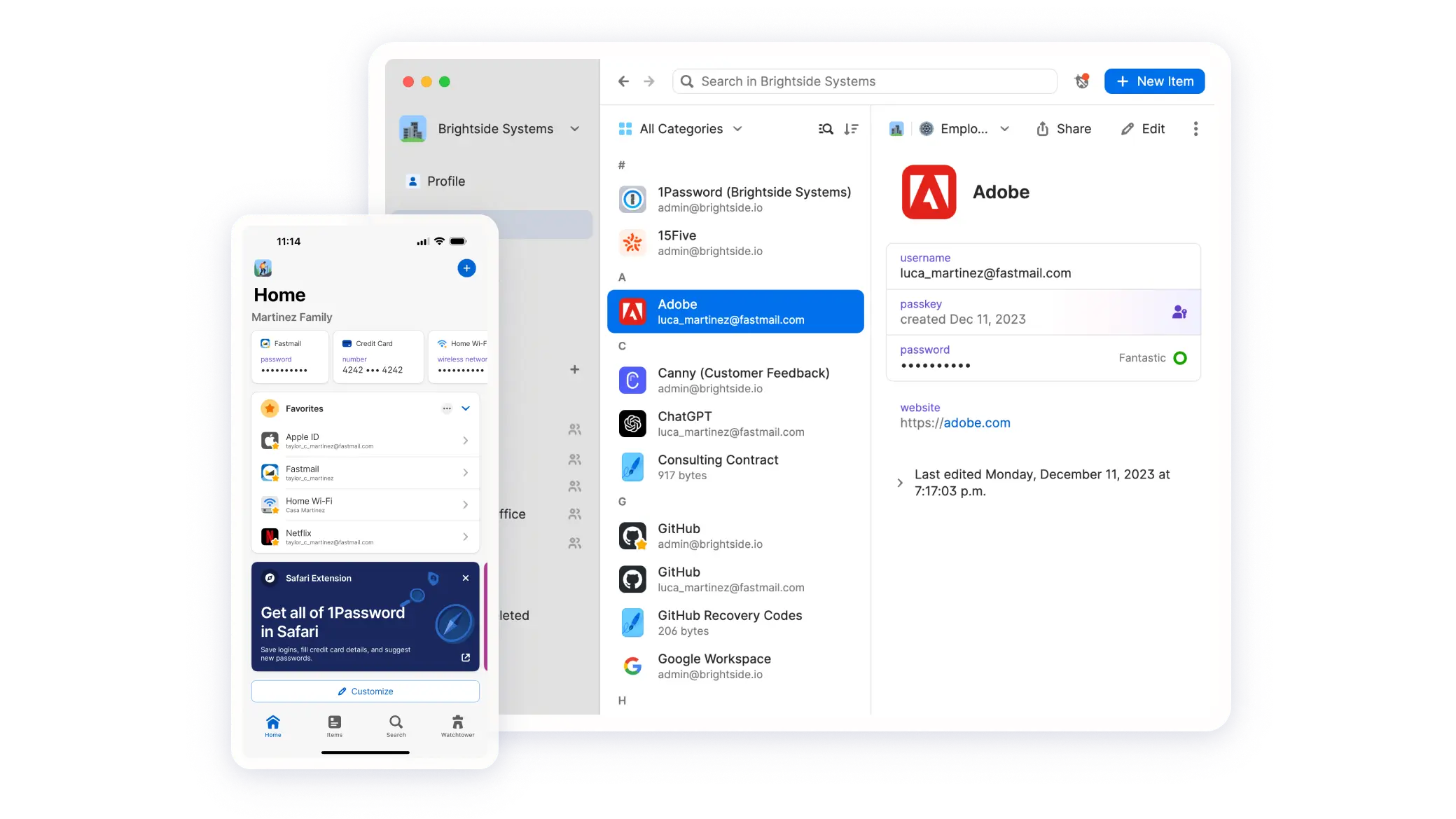
1Password is a robust password manager that securely stores and manages your passwords, credit card information, and other sensitive data. It features a strong encryption system to protect your information and offers seamless integration across multiple devices, ensuring you have access to your data whenever and wherever you need it.
📌 Category: Graphic Design
✨ Top feature: Vector and raster design tools
💲 Price: Free
Affinity Designer is a professional graphic design software known for its precision and versatility. It seamlessly integrates vector and raster tools, allowing designers to create intricate illustrations, logos, icons, UI designs, and more. The app is highly optimized for performance, offering smooth and fast operation even with complex projects, making it a favorite among creative professionals who use a Mac. In late 2025, Serif retired the standalone Designer 2 app and folded it into the unified Affinity by Canva app, which made the full suite free; download it from Serif's site rather than the Mac App Store.
Transnomino is a versatile and powerful file-renaming tool designed to streamline the process of organizing files. It offers a range of advanced features, including customizable naming conventions, support for regular expressions, and the ability to add prefixes, suffixes, and numbering. This app is ideal for users who need to manage large batches of files, providing a quick and efficient way to ensure consistent and orderly naming.
📌 Category: Productivity
✨ Top feature: Pomodoro timer for productivity
💲 Price: $9.99
Be Focused Pro uses the Pomodoro technique to break work into intervals, separated by short breaks, helping users maintain focus and motivation. The app allows you to create tasks, customize timer settings, manage tasks with notes and tags, and track progress with detailed reports. It also supports synchronization across iPhone, iPad, and Mac, ensuring your workflow remains consistent across devices. Additional features include the ability to block distracting apps and websites, estimate task completion time, and integration with Focus Matrix for advanced task management.
CleanShot X is one of the best apps for Mac users who need powerful screen capture capabilities. It offers features such as scrolling capture, annotation tools, and screen recording with audio. The app also includes options for saving screenshots to the cloud, copying them to the clipboard, and even creating GIFs. With CleanShot X, you can enhance your workflow by easily capturing and editing screenshots, sharing them quickly, and organizing your visual content efficiently.
📌 Category: Photo & Video Editing
✨ Top feature: Non-destructive editing
💲 Price: $6.99/monthly
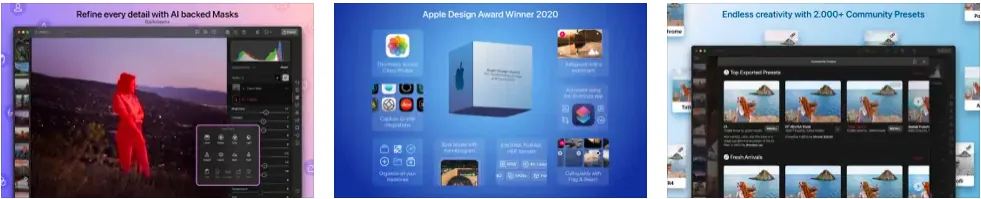
Darkroom is a powerful photo and video editing app known for its non-destructive editing capabilities. Designed for both professionals and enthusiasts, it offers a suite of advanced tools for adjusting exposure, color, and curves, as well as applying filters and frames. The app supports RAW and ProRAW formats, ensuring high-quality edits, and includes features like batch processing, smart album management, and integration with the iCloud Photo Library, making it easy to manage and edit large collections of photos and videos.
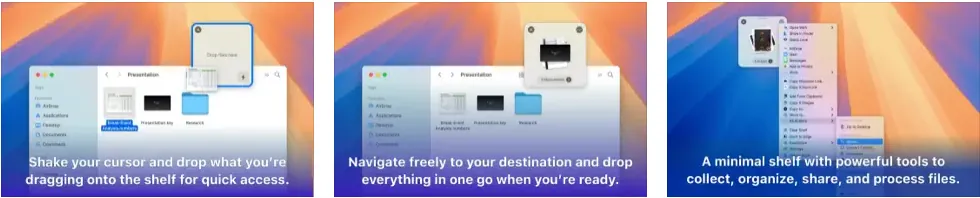
Dropover is a productivity app designed to simplify the process of sharing files. It creates temporary holding areas for your files on Mac, making drag-and-drop operations effortless. Whether you’re moving files between folders, applications, or even devices, Dropover streamlines the workflow by allowing you to collect and manage files in a floating dropzone. Additional features include quick actions, clipboard history, and integration with various cloud services, enhancing your file management efficiency.
📌 Category: Productivity
✨ Top feature: Calendar and task management
💲 Price: $6.99/monthly
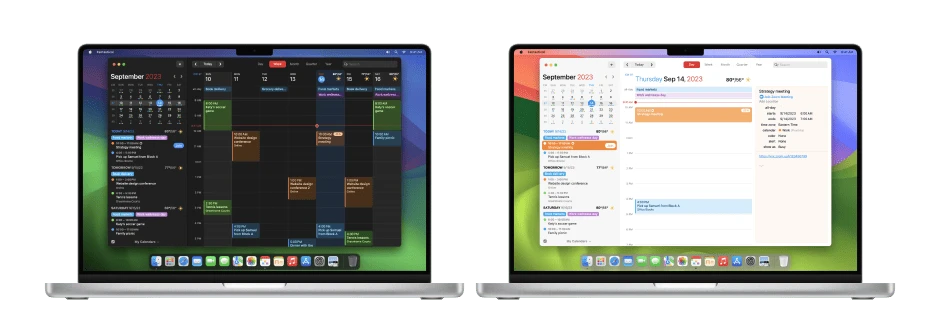
Fantastical is a comprehensive calendar and task management app that helps users stay organized and on top of their schedules. Known for its intuitive design and powerful features, Fantastical supports natural language input, making it easy to create events and reminders. It integrates seamlessly with various calendar services, including iCloud, Google, and Exchange. The app also offers advanced features like travel time, weather forecasts, and collaboration tools, and it is also compatible with Apple Vision Pro. On the M4 MacBook Air, Fantastical is particularly well-suited for its efficiency profile: the app is light on CPU and memory, meaning it never competes with heavier creative or development tools for the Air’s shared memory pool.
📌 Category: Gaming
✨ Top feature: DRM-free game library
💲 Price: Free
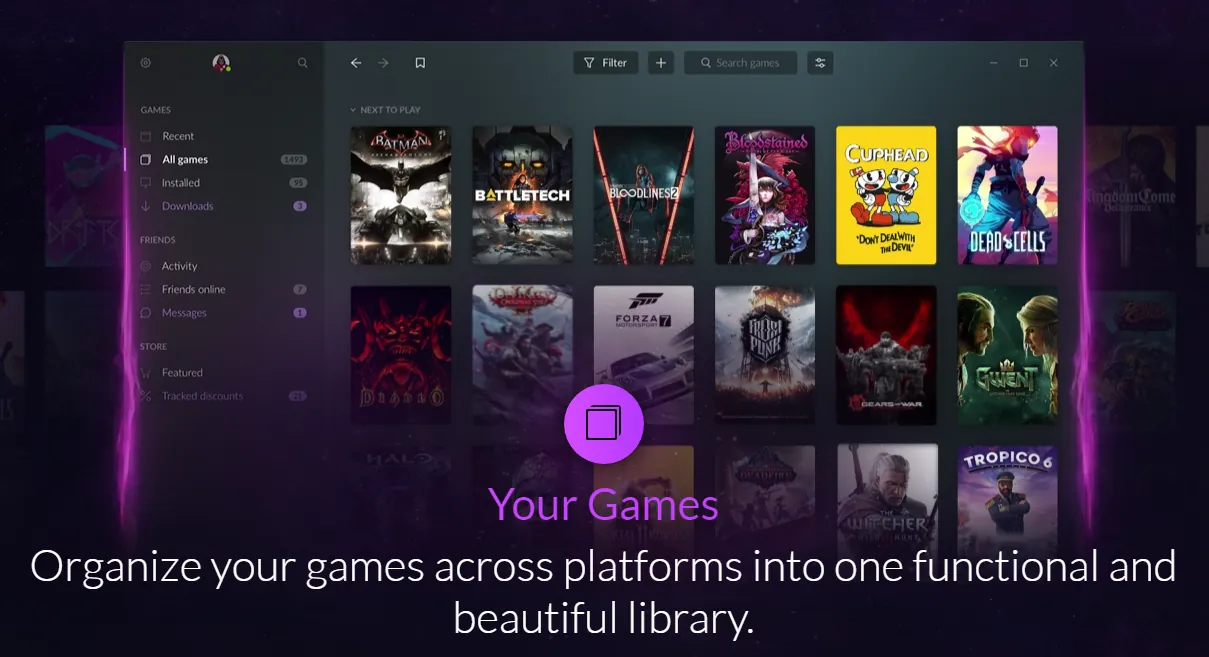
GOG (Good Old Games) is a digital distribution platform that offers a vast library of DRM-free games, ranging from classic titles to modern hits. The platform is known for its customer-friendly approach, providing games without restrictive digital rights management, allowing users full ownership and offline play. GOG Galaxy, its optional client, unifies game libraries across multiple platforms, offers cloud saves, and provides automatic updates.
📌 Category: Productivity
✨ Top feature: Advanced grammar checking with AI writing assistance
💲 Price: Free | Pro: $12/monthly (billed annually)
Grammarly is an advanced AI writing assistant that helps users improve their grammar, punctuation, clarity, and overall writing style. It provides real-time feedback on everything from basic spelling errors to nuanced tone and conciseness issues, and its generative AI features can now help draft, rewrite, and condense text directly inside any macOS application. The app integrates seamlessly with web browsers, Microsoft Office, Apple Mail, and Notion. It’s one of the best apps for Mac if you write professionally and need mistake-free English output every time.
📌 Category: Utility
✨ Top feature: Focus enhancement by dimming
💲 Price: $5.99
HazeOver is a utility app designed to help users focus on the task at hand by dimming background windows and distractions. By automatically highlighting the active window and fading out the others, HazeOver creates a distraction-free working environment. This app is particularly useful for multitaskers who need to concentrate on a single task without being disturbed by other open applications. It offers customization options for dimming intensity and supports multiple monitors.
📌 Category: Communication
✨ Top feature: Video messaging for teams
💲 Price: Free | Business: $180/yearly
Loom is a video messaging app that allows users to quickly record and share videos for communication and collaboration. It’s ideal for teams and remote workers who need to convey information visually and efficiently. Loom’s features include screen recording, webcam integration, and annotation tools, making it easy to create engaging and informative videos. The app also supports instant sharing and embedding of videos.
📌 Category: Utility
✨ Top feature: QuickLook previews for Markdown files
💲 Price: $19.99 one-time
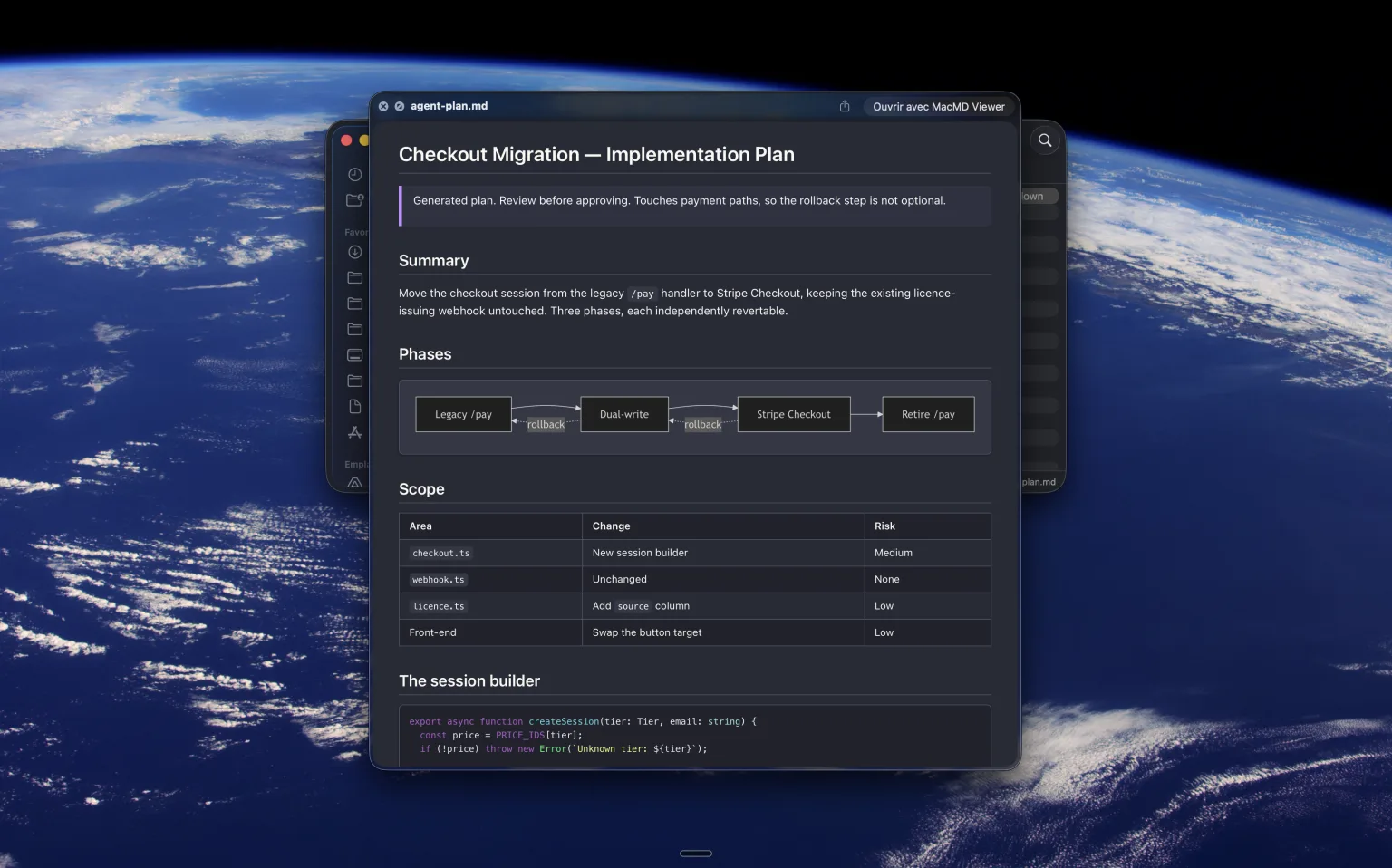
MacMD Viewer is a Markdown reader for people who read far more Markdown than they write, which in 2026 describes anyone working alongside an AI coding assistant. Claude Code, ChatGPT and Copilot generate .md files constantly, and macOS still opens them as raw text. MacMD renders them properly: headings, tables, syntax-highlighted code, Mermaid diagrams and task lists. The feature that changes your day is QuickLook integration, which lets you select a .md file in Finder, press Space, and read it rendered without launching the app at all. Live reload picks up edits on disk, which matters when an agent is rewriting a file while you have it open. It is native SwiftUI rather than Electron, so it opens instantly and barely registers in Activity Monitor, and it ships 12 document themes plus a Library view for browsing a whole folder of notes. Available direct, on Setapp, and through Homebrew.
📌 Category: Productivity
✨ Top feature: All-in-one workspace with built-in AI
💲 Price: Free | Plus: $12/monthly | AI add-on: $8/monthly
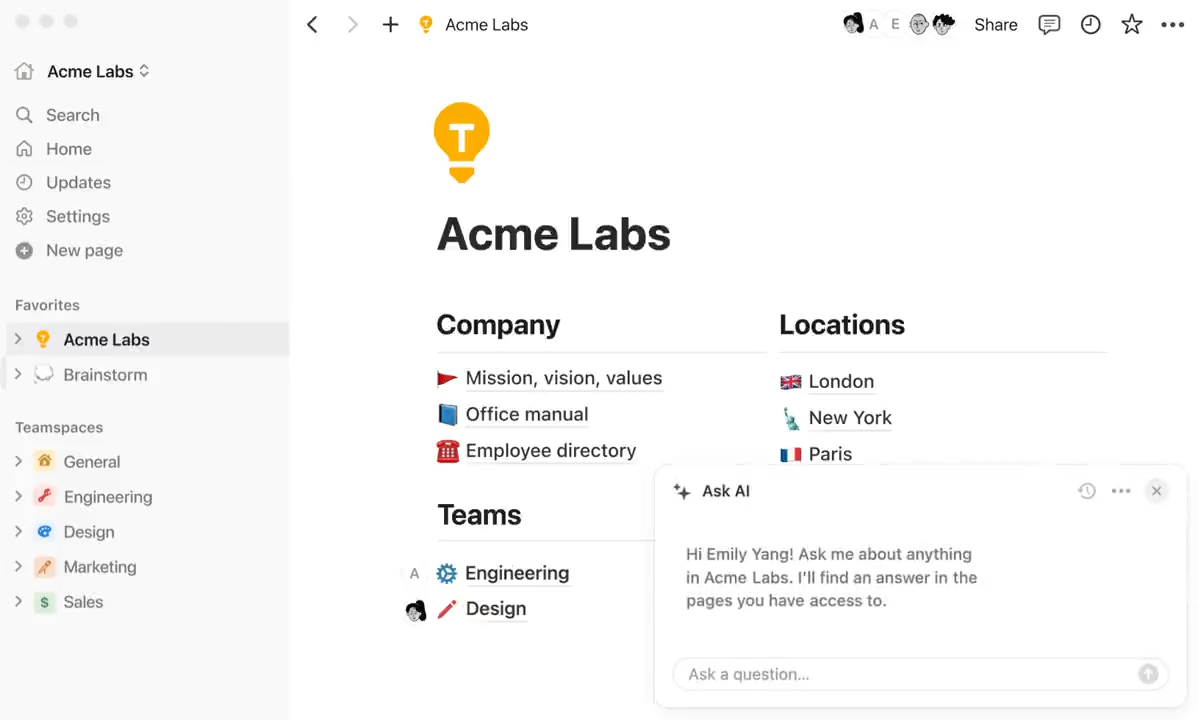
Notion is an all-in-one workspace that combines note-taking, project management, and team collaboration into a single, highly customizable platform. In 2026 it has become even more compelling with Notion AI deeply integrated across every page: summarizing documents, drafting content, answering questions from your knowledge base, and autofilling database properties. Whether you are managing a solo project or coordinating a distributed team, Notion's flexible block-based editor adapts to virtually any workflow. You can connect it to Google Calendar, Slack, GitHub, and hundreds of other tools, and tools like 2sync extend those integrations further.
📌 Category: Productivity
✨ Top feature: PDF editing and management
💲 Price: Free
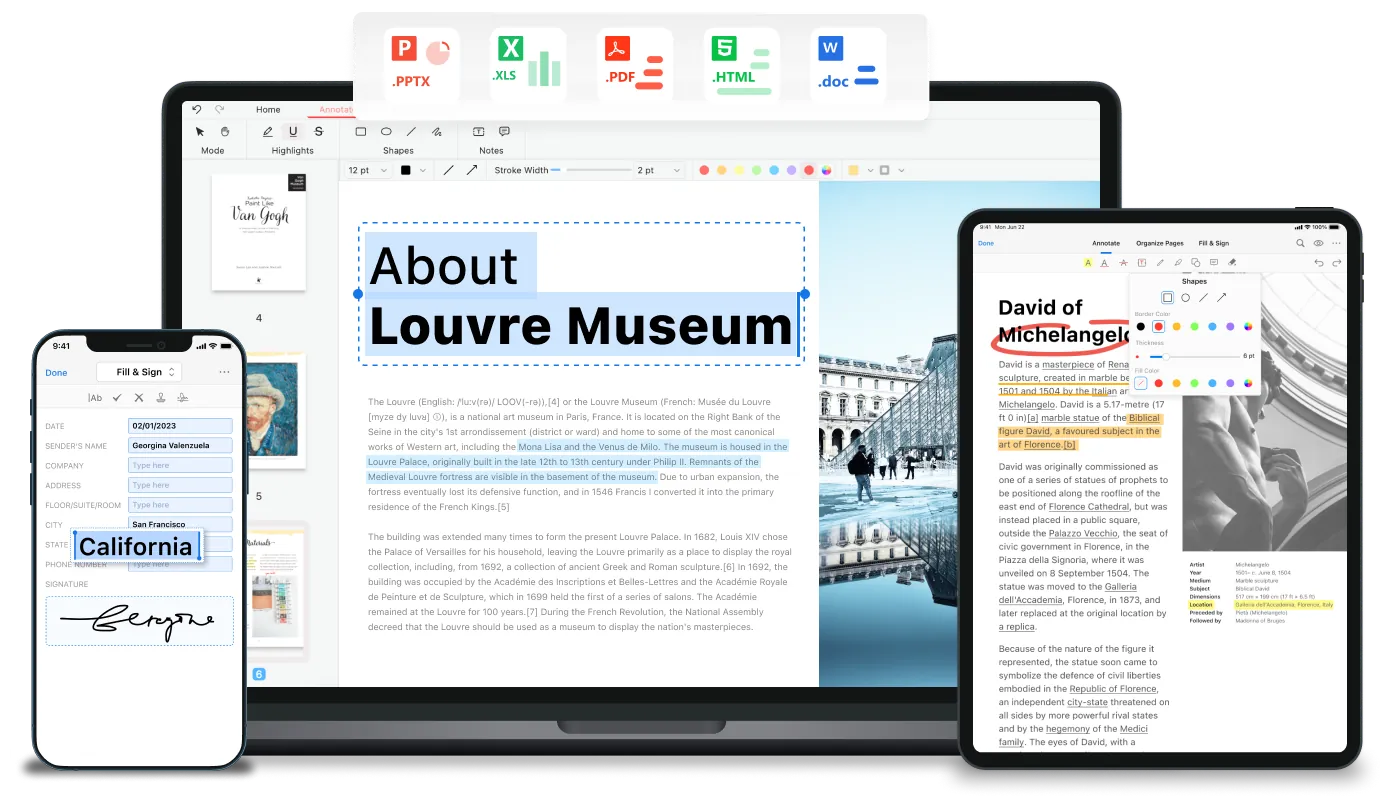
Looking for a PDF editor? PDFGear is a comprehensive PDF editing and management tool that allows users to easily annotate, edit, and organize PDF documents. It offers a range of features, including text editing, image insertion, and form filling. The app also supports cloud storage integration, enabling you to access and manage documents anywhere.
📌 Category: Graphic Design
✨ Top feature: Powerful image editing tools
💲 Price: $49.99 one-time on Mac App Store, or included in Apple Creator Studio ($12.99/month)
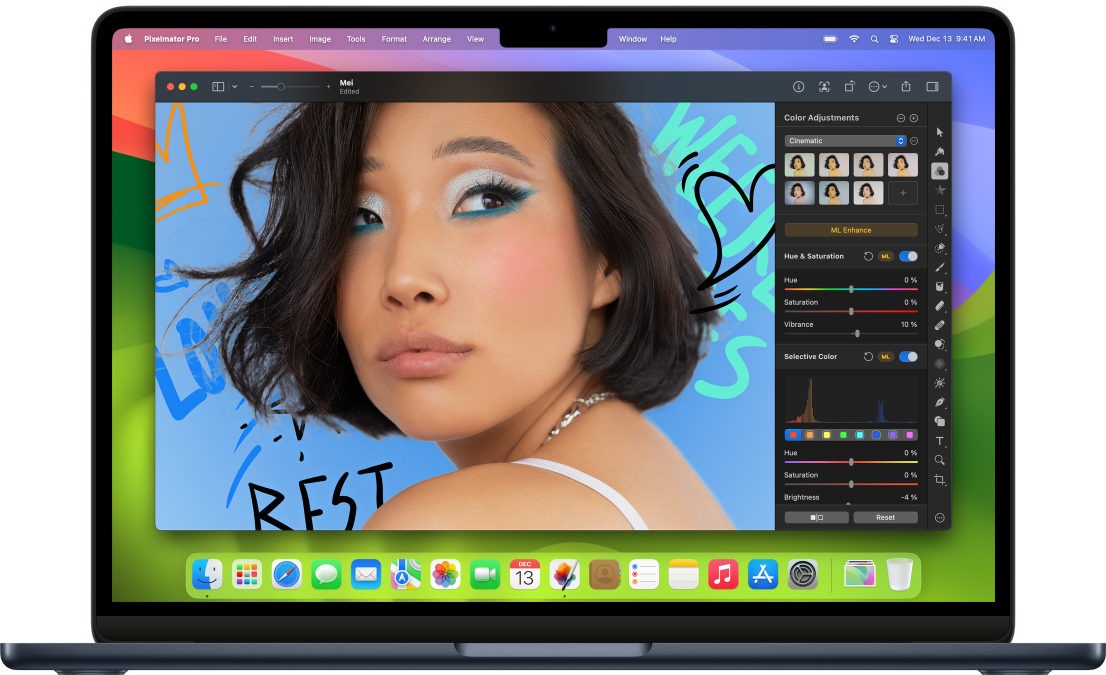
Pixelmator Pro is one of the best Mac apps for image editing. It offers a wide range of powerful tools for photo editing, graphic design, and digital painting. The app supports advanced features like machine learning-enhanced editing, non-destructive adjustments, and comprehensive retouching tools. Following Apple's acquisition, Pixelmator Pro remains available as a one-time $49.99 purchase on the Mac App Store, and is also bundled into the Apple Creator Studio subscription alongside Final Cut Pro, Logic Pro, and Motion (with a 30-day free trial). Its intuitive interface and seamless integration with macOS make it a favorite among designers and photographers looking for a robust and user-friendly image editor.
📌 Category: Security
✨ Top feature: Secure and private VPN
💲 Price: Free | $9.99/monthly
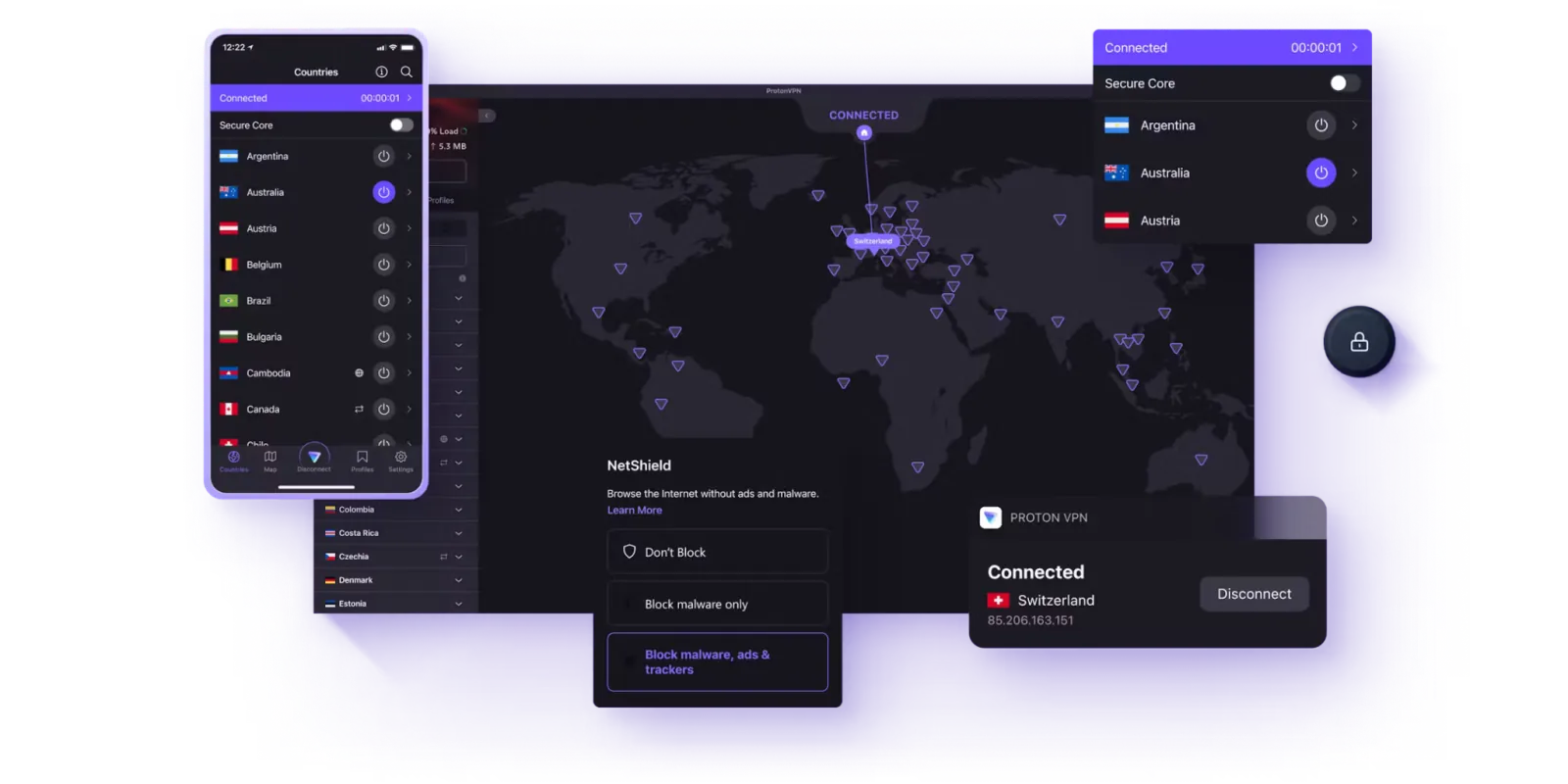
Proton VPN is a secure and private virtual private network service that ensures online privacy and security. Developed by the team behind ProtonMail, Proton VPN offers strong encryption, a no-logs policy, and advanced security features. The service allows users to browse the internet anonymously, access geo-restricted content, and protect their data on public Wi-Fi networks. With servers in multiple countries and support for high-speed connections, Proton VPN is a reliable choice for privacy-conscious users.
📌 Category: Productivity
✨ Top feature: AI-powered launcher and command bar
💲 Price: Free | Pro: $8/monthly
Raycast has become one of the most talked-about Mac apps of the past two years, and in 2026 it is a staple of any serious power user's setup. At its core it replaces Spotlight with a dramatically faster launcher, but the real power lies in its extensibility: thousands of community-built extensions connect it to GitHub, Linear, Jira, Slack, Figma, and virtually every other tool in a modern workflow. The Pro tier adds Raycast AI, a built-in assistant that draws on Claude, GPT-4, and other models to draft text, summarize content, translate, and write code, all without leaving the keyboard. On an M4 MacBook Pro, Raycast launches in under 80 milliseconds and AI responses stream with virtually no perceptible delay, making it feel like a native part of the operating system. For anyone who wants to stay in a flow state, Raycast is the single app most likely to change how you use your Mac.
📌 Category: Utility
✨ Top feature: Window management with keyboard shortcuts
💲 Price: Free
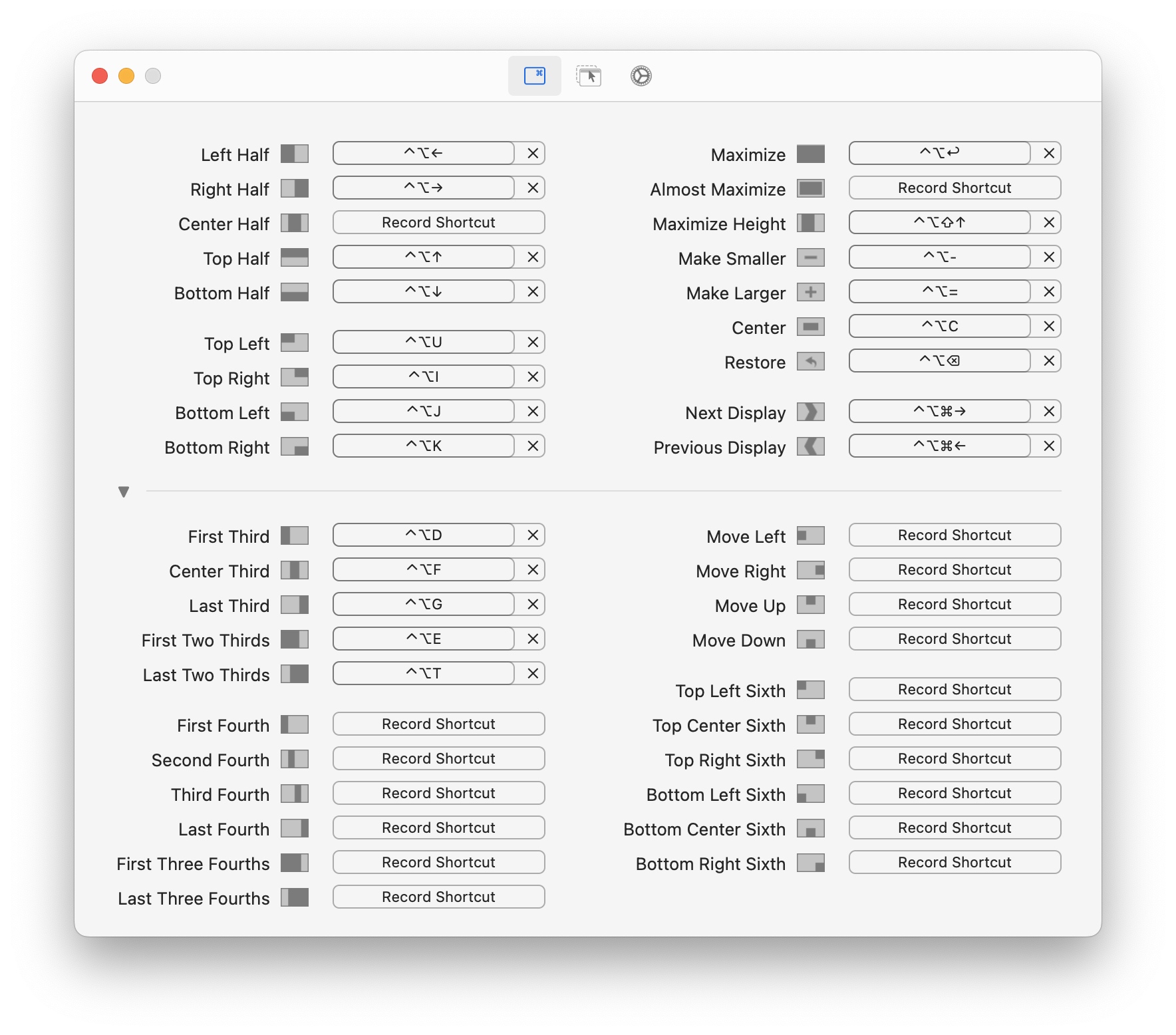
Rectangle is a free and open-source window management app for Mac that allows users to organize and arrange their windows using customizable keyboard shortcuts. It provides a simple and efficient way to snap windows to various positions on the screen, helping users maintain an organized and clutter-free workspace. Rectangle’s intuitive interface and extensive customization options make it an essential tool for enhancing productivity and workflow efficiency on macOS. For a complete productivity setup, pair it with the right hardware from our best MacBook accessories guide.
📌 Category: Entertainment
✨ Top feature: Music streaming service
💲 Price: Free | Premium: $11.99/monthly
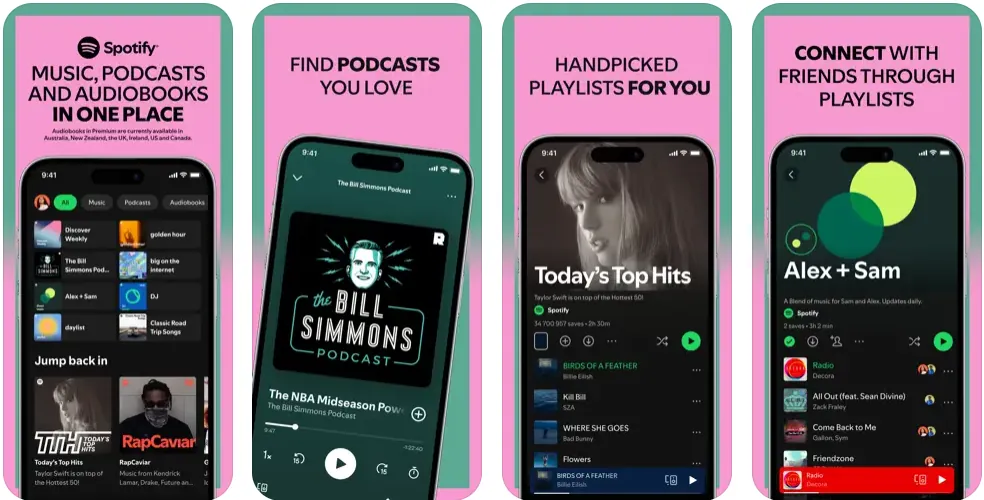
Spotify is a leading music streaming service that provides access to millions of songs, podcasts, and playlists. It offers personalized recommendations, curated playlists, and the ability to create and share custom playlists. Spotify’s user-friendly interface and extensive library make it a popular choice for music lovers. The service is available on various devices, including smartphones, tablets, and computers, allowing users to enjoy their favorite music anytime, anywhere.
📌 Category: Gaming
✨ Top feature: The most popular gaming platform
💲 Price: Free
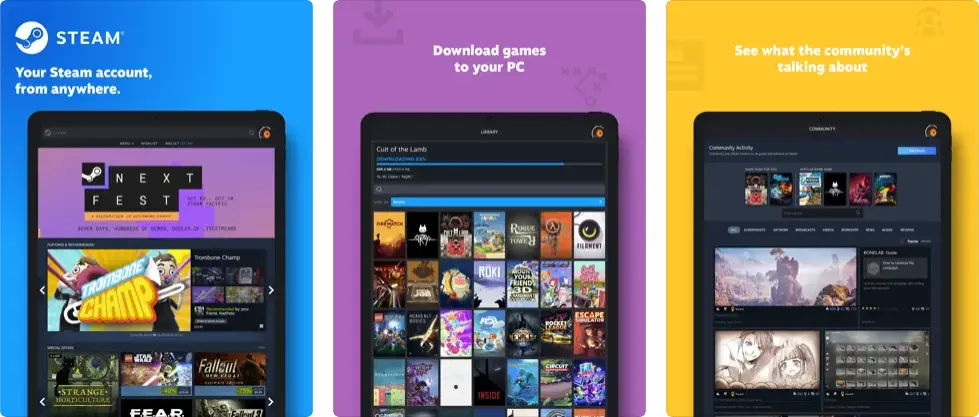
Steam is a comprehensive digital game distribution platform offering a vast library of games, from AAA titles to indie hits. It provides features like automatic game updates, cloud saves, and in-game chat, making it a popular choice among gamers. Steam also supports community features like user reviews, forums, and modding, fostering a vibrant gaming community. With its frequent sales and extensive catalog, Steam remains a central hub for gamers worldwide.
Things 3 is a task management app designed to help users organize their tasks and projects efficiently. It offers a clean and intuitive interface, making it easy to create, organize, and prioritize tasks. Features include tags, deadlines, reminders, and project management tools, allowing users to stay on top of their workload. Things 3 also supports integration with calendar apps and synchronization across multiple devices, ensuring that users can manage their tasks from anywhere.
📌 Category: Writing
✨ Top feature: Writing and note-taking app
💲 Price: Free | $5.99/monthly
Ulysses is a powerful writing and note-taking app designed to help writers focus on their craft. It offers a clean, distraction-free interface and a range of features that support every stage of the writing process. Ulysses includes tools for organizing notes, managing writing projects, and exporting work in various formats. The app supports Markdown, making it easy to format text, and offers advanced search and filtering options.
Conclusion
These 23 apps represent the very best that the Mac platform has to offer in 2026. Together they are a testament to the powerful combination of Apple Silicon and a developer ecosystem that continues to push the boundaries of what desktop software can do. Whether you are a creative professional, a productivity enthusiast, or a casual user, installing even a handful of these apps will meaningfully transform your day-to-day Mac experience. If you want to dig deeper into what your Mac can do, our guides on the best Mac for AI work and why your Mac might be running slow are great next reads.
For MacBook Pro and MacBook Air owners looking to go further, the best Mac widgets guide and the best Mac games roundup are worth bookmarking too.
If you are looking to upgrade your Mac and take full advantage of these apps, consider buying a refurbished Apple Mac with Apple Silicon. Our best refurbished MacBooks guide ranks every current model by value. If a desktop suits you better, our best refurbished iMac picks do the same for Apple's all-in-one. Refurbished Macs are significantly discounted compared to new, work like new, are restored by professional technicians, and come with a warranty. You can compare every available model in real time below.
Not ready to buy?
Email me when a refurbished MacBook is listed under $370. You also get our weekly deals email. Unsubscribe anytime.
Frequently asked questions
What are the best free Mac apps in 2026?
Several excellent Mac apps are completely free: Rectangle (window management), Raycast (launcher and AI assistant), Transnomino (file renaming), GOG (DRM-free gaming platform), PDFGear (PDF editing), and Steam (gaming). These cover productivity, utilities, and entertainment without costing a penny.
What is the most essential Mac app for productivity?
It depends on your workflow, but Raycast consistently tops the list for power users in 2026. It replaces Spotlight with a far more capable launcher, connects to hundreds of apps via extensions, and adds AI-powered writing and search directly from the keyboard, all without charging anything for the core tier.
Are Mac apps compatible with Apple Silicon (M1, M2, M3, M4)?
Yes. Every app on this list runs natively on Apple Silicon, including M4-series chips. Native ARM support means better performance and battery efficiency compared to apps running under Rosetta 2 emulation. When shopping for Mac software, look for the 'Apple Silicon' or 'Universal' badge on the App Store to confirm native support.
What are the best apps for MacBook Pro M4?
The M4 MacBook Pro benefits most from apps that leverage its Neural Engine and high memory bandwidth. Top picks include Raycast (AI-powered launcher that responds in under 80ms), Pixelmator Pro (ML-enhanced image editing), Darkroom (ProRAW processing), and Notion (AI workspace). For heavy creative work, Affinity Designer and Final Cut Pro take full advantage of the M4 Pro chip's media engines.
What are the best apps for MacBook Air M4?
The M4 MacBook Air pairs best with lightweight but powerful apps that respect its fanless thermal design. Excellent choices include Rectangle (zero CPU overhead for window management), 1Password (secure and efficient), Fantastical (calendar app with a tiny memory footprint), Grammarly (runs as a system extension without taxing resources), and Things 3 (a polished task manager with no background activity). Raycast and PDFGear are also ideal because they are fast, free, and put no strain on the Air's shared memory.
Do these apps work on older Intel Macs?
Most of them do. Apps like Rectangle, Grammarly, 1Password, Notion, and Spotify are universal binaries that run on both Intel and Apple Silicon machines. A few apps recommend Apple Silicon for their most demanding ML-powered features. Keep in mind that macOS 27 drops Intel support entirely, so Intel Macs stay on macOS 26 Tahoe with roughly three more years of security updates. If you are curious whether your Intel Mac is still worth keeping, check out our guide on whether MacBooks are worth it.
What is the best Mac app for screen capture?
CleanShot X is the gold standard. It goes far beyond the built-in macOS screenshot tool with scrolling capture, annotate-and-share workflows, screen recording with audio, GIF creation, and a dedicated cloud for hosting screenshots. At a one-off price of $29, it pays for itself quickly for anyone who captures screens regularly.
What is the best Mac app for window management?
Rectangle is the most popular free option and handles the vast majority of use cases well. It lets you snap windows to halves, thirds, quarters, and corners using keyboard shortcuts you can fully customize. For users who want more advanced multi-monitor layouts or paid extras, Rectangle Pro offers additional presets and touch bar support.
What Mac apps are best for writing?
Ulysses is the top choice for long-form writing: it offers a distraction-free Markdown editor, smart organization for large projects, and direct publishing to WordPress and Medium. For grammar and style, Grammarly runs as a system-wide assistant that works inside any macOS app. If you need a combined notes and writing workspace, Notion also excels for writers who want to keep research and drafts in one place.
Compare all available MacBook models with Apple Silicon chips on RefurbMe below:
from $420in Good Refurbished MacBook with Apple Silicon Chip · 262 configurations at 5 sellers. Checked Oct 5, 12:41 PM EDT.
Whatever your choice, you can set up different filters to find the exact Mac you need.
Last updated: Sep 15, 2026 ·
First published: Mar 11, 2025
Simo Elalj
CEO and Founder at RefurbMe. I made this project back when I was 15 when I had to wake up at 2am to buy my own refurbished Macbook Pro. Passionate about circular economy, great UX and goats.