Yes. A stock alert on RefurbMe tracks refurbished Apple stock for you and emails you when a refurbished Apple product you want comes back in stock. Pick a model, choose the exact specs and condition you are after, then add your email to create the alert. RefurbMe watches every refurbisher it lists in your market and notifies you as soon as a matching device is listed. No account is needed, and it is free.
Refurbished stock moves fast. Popular models can sell out within hours, and it can take months for more units of an older device to be refurbished and relisted. A stock alert does the watching for you instead of forcing you to refresh a page every day.
How do I set a stock alert?
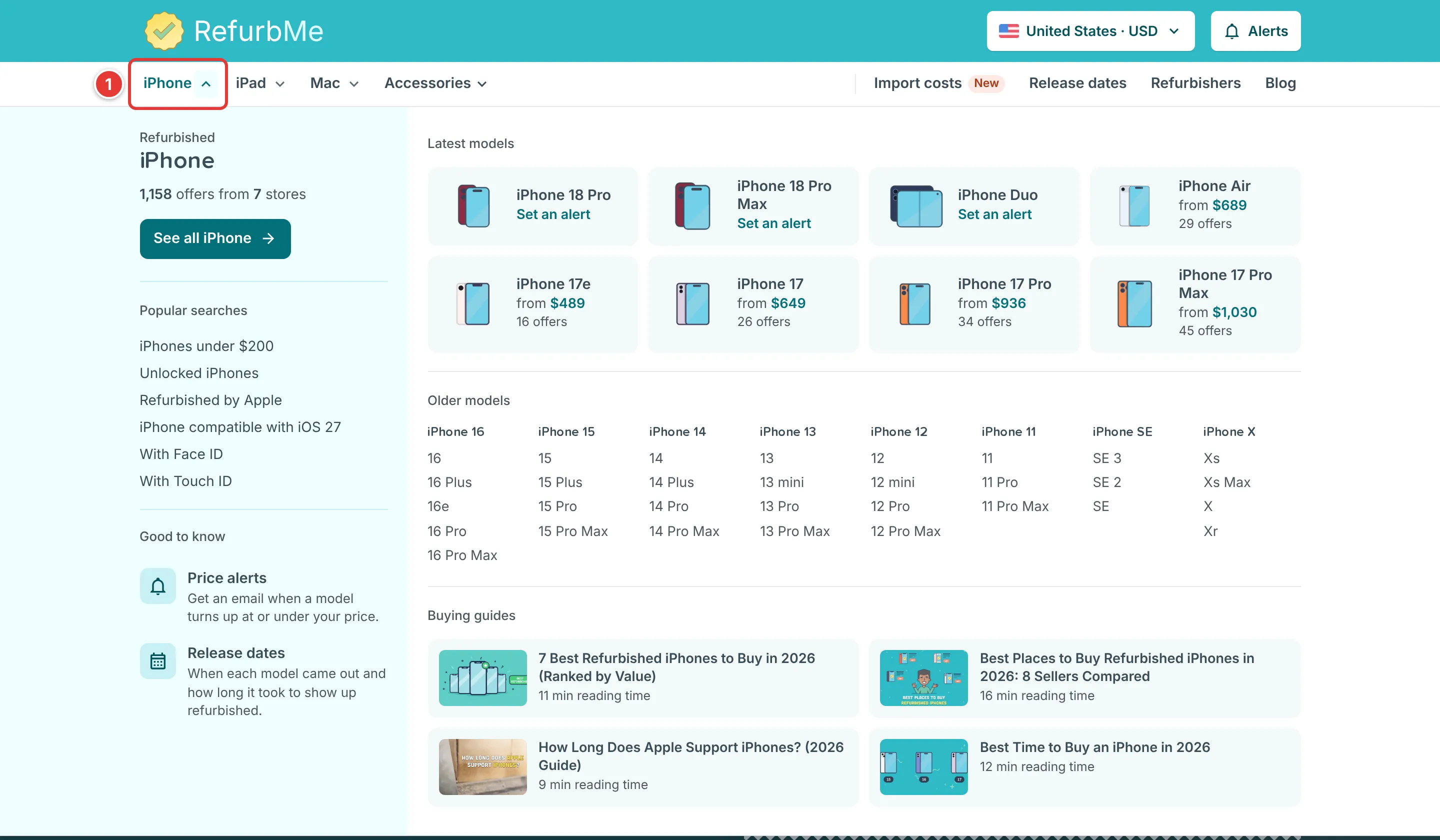
- Pick the product family you want in the top menu of RefurbMe (iPhone, iPad, Mac or Accessories).
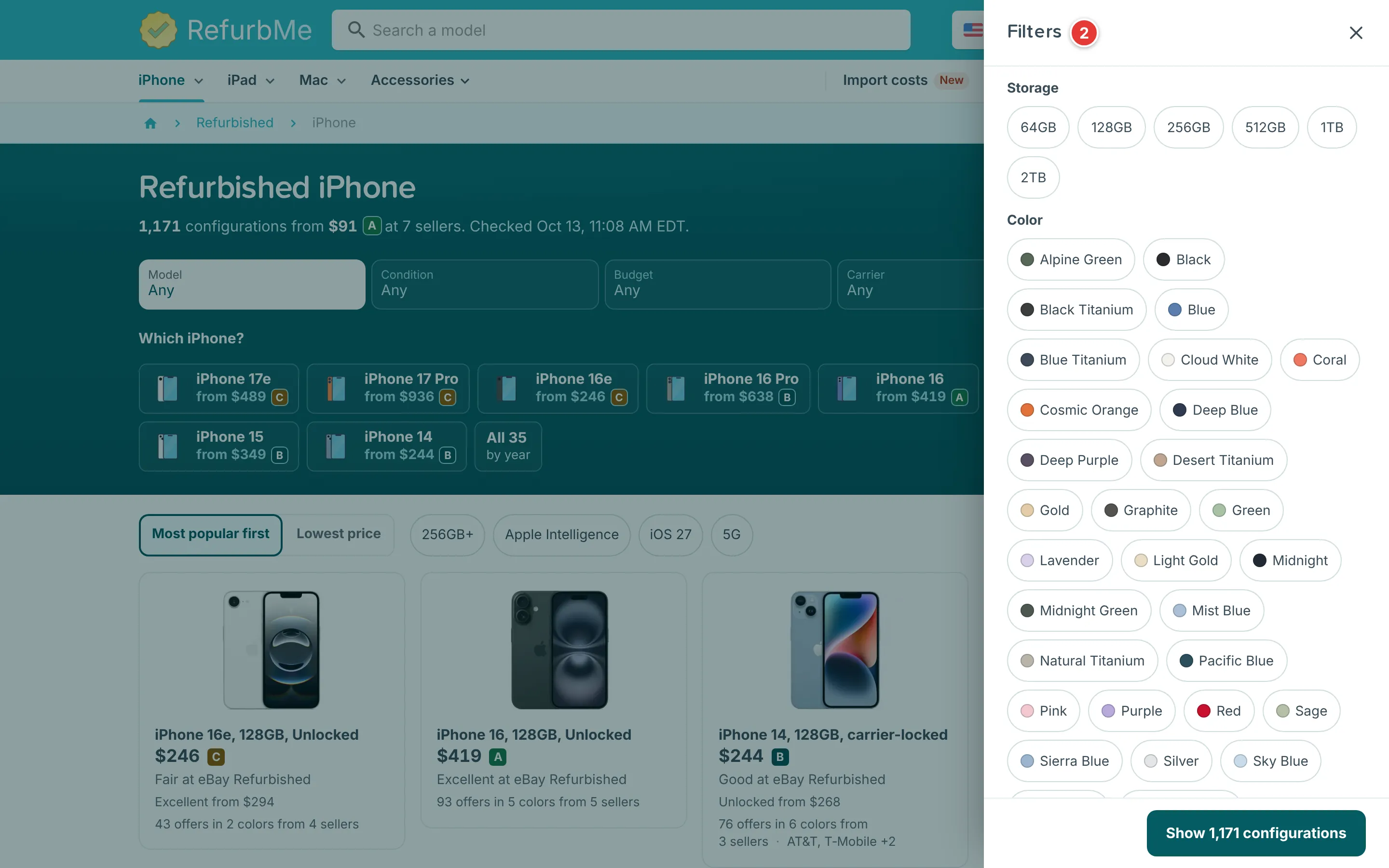
- Use Model, Condition and Budget, then Filters for storage, color and more, to narrow to the exact configuration you want.
- Below the cards, open "Get a price alert", enter your email and click "Alert me".

Your alert matches on all the filters you set, so a search for a 256GB space-black iPhone in Excellent condition only triggers when that exact combination is listed.
What happens when stock appears?
RefurbMe checks refurbisher inventory continuously and emails you the matching offer once a device is refurbished and back in stock. From there you can compare the price and condition against other sellers and click through to buy on the refurbisher's own site. RefurbMe never handles the payment or the order itself.
Can I track a specific sold-out product?
Yes. Under the model tiles, click the button that starts with "All", such as "All 35 by year" on the iPhone page. Models with no stock appear dimmed with a "Set an alert" label, including ones no seller has listed yet.
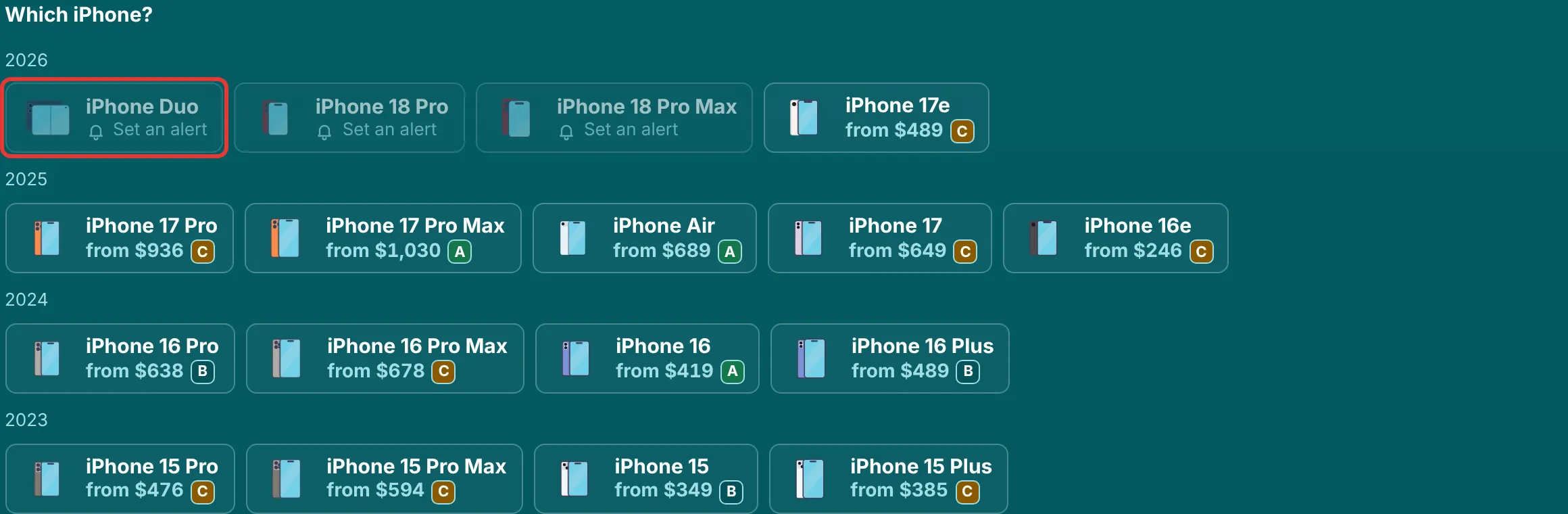
Click a dimmed model, enter your email and click "Alert me" to get an email when a seller lists it. To follow one condition only, open a configuration and use its alert box. A condition with no stock shows "None today. Set an alert", for example for Excellent when only Good is currently listed.
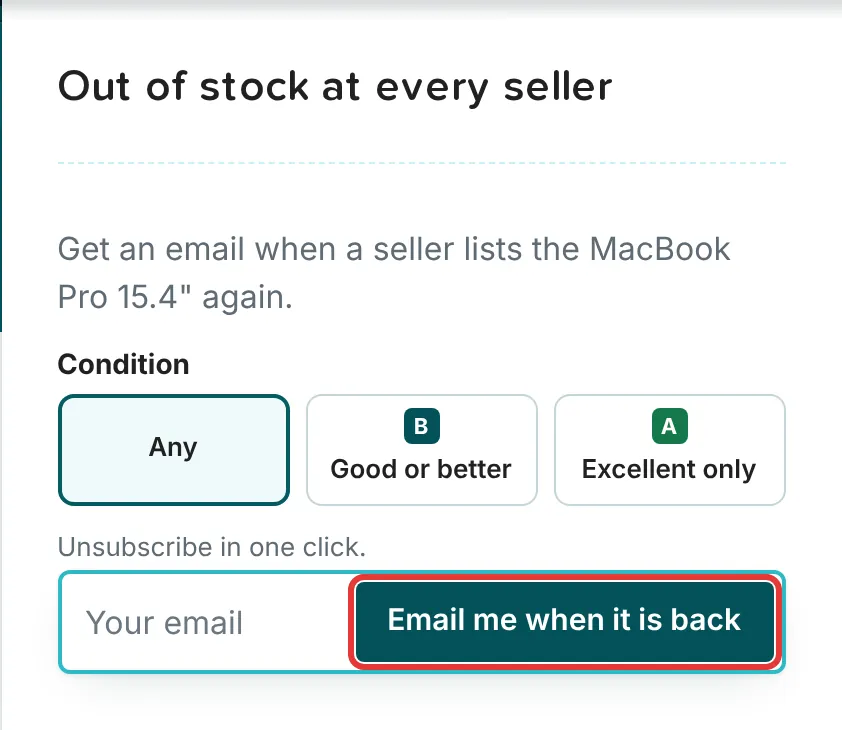
To follow the price instead of the stock, set a price alert. You can remove any alert from the email or the Product Alerts page; here is how to remove a notification.
Track refurbished iPhone stock
Set a free alert and get an email when your iPhone is back in stock across every seller.
Browse refurbished iPhones