

How do I remove all my data and account?
You can remove your account and all associated data from RefurbMe at any time. The process takes less than a minute.
How to delete your account
Follow these steps to close your account:
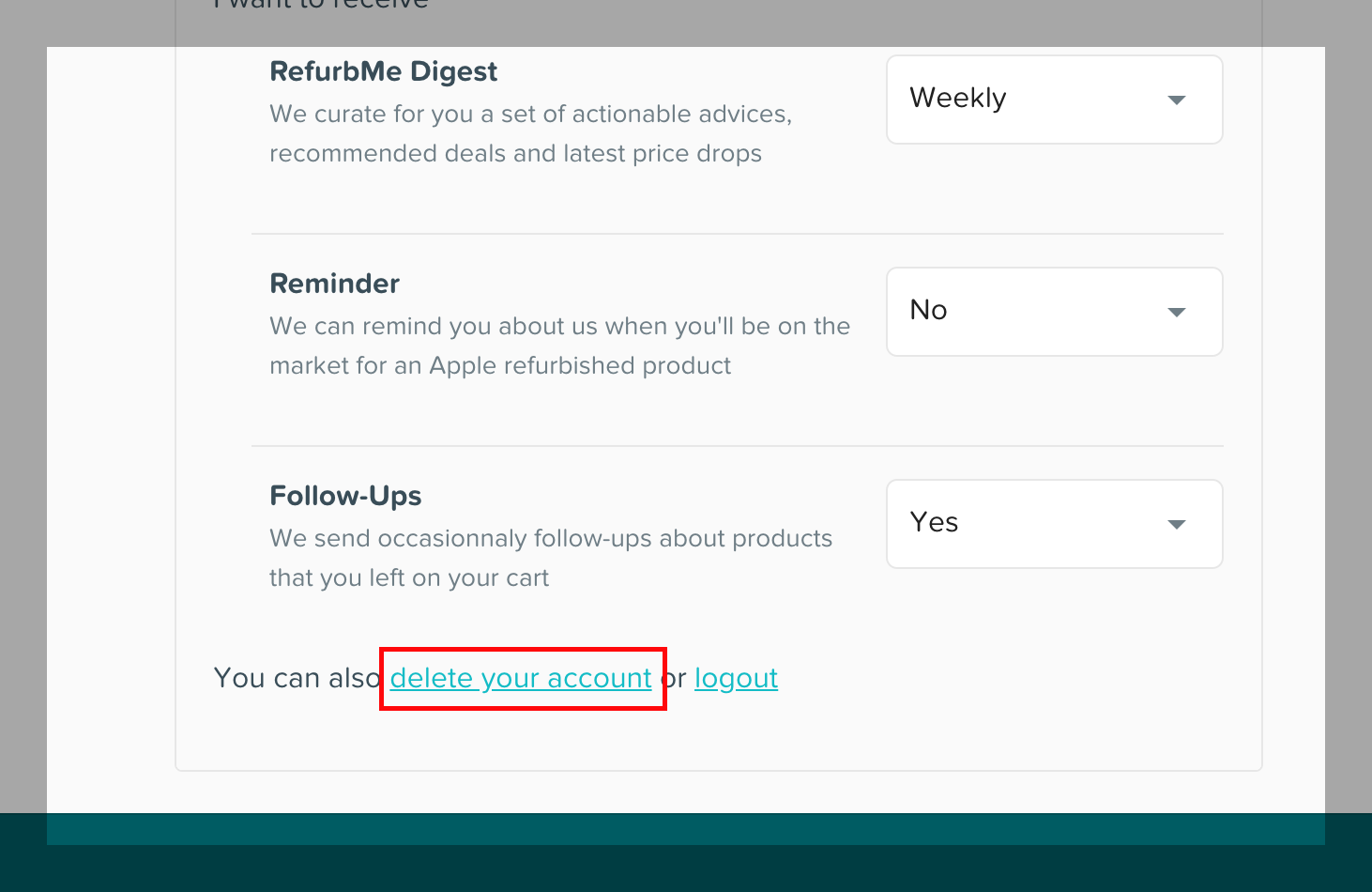
- Go to the Product Alerts page.
- Scroll to the bottom of the page.
- Click on "Close your account".
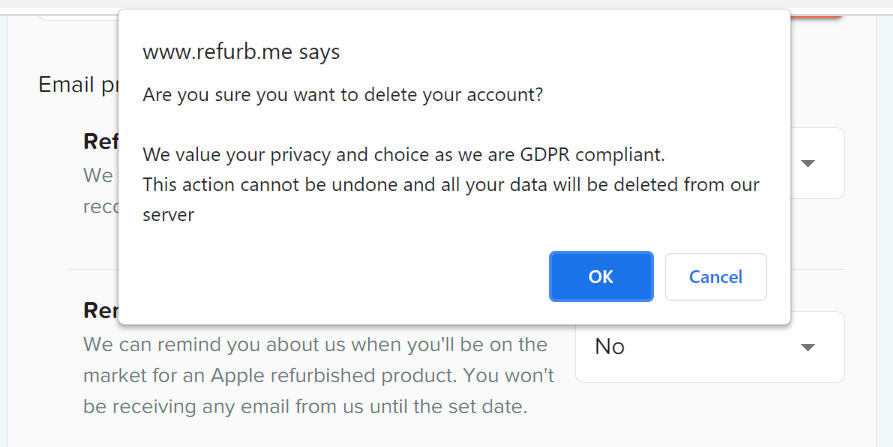
- Confirm the deletion when prompted.
Once confirmed, your account and all data associated with it are permanently removed.
What data is stored
RefurbMe stores minimal personal data. When you create an account, we keep:
- Your email address used for notifications.
- Your product alert preferences (tracked products, price thresholds, notification settings).
We do not store payment information, shipping addresses, or order details. All purchases are made directly on the refurbisher's website.
What happens after deletion
- All product alerts are immediately deactivated. You will stop receiving emails from RefurbMe.
- Your email and preferences are permanently deleted from our system.
- If you want to use RefurbMe alerts again in the future, you will need to create a new account.
Learn more about how your personal information is handled and how RefurbMe works.