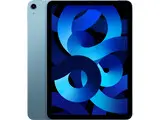
Savings depend on where you buy. Apple's own Certified Refurbished store advertises savings up to 15%, while third-party refurbishers price further discounts on older or lower-grade stock. This guide covers what to check before you click "Buy": your needs, condition grades, specs, connectivity, the seller, reviews, battery health, warranty and price.
RefurbMe's own tracking shows a refurbished iPad typically reaches the market a median of 94 days after Apple announces it, and the median discount compared to new across the 11 standard iPad generations RefurbMe tracks is 84% (both as of October 2026, read from RefurbMe's iPad stats on October 27, 2026). That discount spans over a decade of discontinued models no longer sold new, so it overstates what a current iPad costs refurbished. For the current 11-inch iPad (A16) with Wi-Fi and 128 GB, the same day's US listings had $359 at Amazon Renewed, $379 at Apple's Certified Refurbished store and $410 at Back Market, against $449 new from Apple.
What is a refurbished tablet?
A refurbished tablet is a pre-owned device that has been returned to a seller or manufacturer, inspected, repaired where necessary, cleaned, tested to a defined standard, and repackaged for resale. The process is meaningfully different from simply buying used: a used device has no inspection history, while a certified refurbished device comes with documented testing and usually a warranty.
There are two main categories to know about:
- Manufacturer refurbished: Apple, Samsung, or another OEM handles the restoration using original parts and their own quality standards. Apple Certified Refurbished products, for example, get full functional testing, genuine Apple replacement parts where needed and a thorough cleaning, and come with the same one-year limited warranty as new products.
- Seller refurbished: A third-party retailer, such as Back Market or Amazon Renewed, performs the restoration. Quality standards vary by seller, so warranty length and inspection depth differ.
For a deeper look at the distinction, see our guide on manufacturer refurbished vs. seller refurbished products.
How to choose a refurbished tablet
Tablets have reshaped portable computing since Apple launched the first iPad in 2010. They are more portable than laptops and more capable than smartphones for reading, creating, and communicating. Follow this process to narrow down your options.
1. Define what you need before you browse
Write down the non-negotiables before you look at a single listing. Common requirements include:
- Minimum storage: 64 GB is workable for light use; 256 GB suits users who store video or many apps
- Screen size: compact (under 9 inches) for travel, larger (11 to 13 inches) for creative work
- Specific features: Apple Pencil support, Face ID, a particular camera resolution
- Software support: check that the model still receives OS updates, as older devices get cut off. iPadOS 27 runs on the iPad (9th generation) and later, iPad Air (4th generation) and later, iPad mini (6th generation) and later, and iPad Pro (4th generation) and later
If a tablet fails even one of your hard requirements, move on. There are enough options in the refurbished market that you do not need to compromise on the things that matter most.
2. Understand condition grades
Refurbishers use letter grades to describe cosmetic condition. These are not standardized across sellers, but a common interpretation is:
- Grade A (Excellent): Light signs of use visible only under direct light; screen unmarked
- Grade B (Good): Minor scratches or scuffs visible in normal lighting; fully functional
- Grade C (Fair): Visible wear; may have deeper scratches; less common for tablets
For most buyers, Grade B offers the best balance of price and appearance. Grade A units sometimes cost almost as much as new, reducing the savings. See what refurbished grades A, B, and C actually mean for a full breakdown.
3. Check the technical specifications
Technical specs matter most for performance-sensitive tasks. Consider:
- Processor generation: An iPad with an A14 Bionic or later handles virtually all productivity and creative tasks without lag. Older chips (A10 and below) may struggle with demanding apps.
- RAM: Most iPads do not publish RAM specs prominently, but processor generation is a reliable proxy for overall performance.
- Storage: App sizes have grown substantially; 64 GB fills faster than expected for users who shoot video or use creative apps.
- Display resolution: Apple lists 264 ppi for the 11-inch iPad and 326 ppi for iPad mini; anything around those figures is sharp enough for reading and video.
A practical rule: if a spec label means nothing to you, it probably will not affect your day-to-day experience.
For help deciding between models, read our guide on every iPad size compared.
4. Review connectivity options
Some tablets run on Wi-Fi only; others support both Wi-Fi and cellular data. Key points:
- On Apple's store, the cellular 11-inch iPad (A16) costs $150 more than the Wi-Fi model: $599 against $449 with 128 GB. Refurbished, the gap can almost vanish: on October 27, 2026, Back Market listed the 128 GB model in Blue at $410 with Wi-Fi only and $421 with cellular.
- A cellular-enabled tablet lets you stay connected without hunting for public Wi-Fi, useful for commuters and travelers.
- Cellular models also require a monthly carrier plan, adding to the total cost of ownership.
If you regularly work outside of reliable Wi-Fi coverage, the cellular option is worth the extra spend. Otherwise, Wi-Fi-only models offer excellent value.
5. Verify the source
Not every listing described as "refurbished" has been properly inspected. Watch for these red flags:
- No mention of an inspection or testing process
- No warranty included
- Listing says "repackaged" rather than "refurbished"
- Seller has fewer than 100 reviews or a rating below 4 stars
Stick to established sellers: Back Market, the Apple Certified Refurbished store, Amazon Renewed (which requires sellers to meet minimum standards), and specialist refurbishers with transparent grading policies. On RefurbMe, we aggregate listings from verified sellers so you can compare them side by side.
Read customer reviews carefully
Consumer reviews surface details that product descriptions cannot. Look for patterns across multiple reviews rather than reacting to individual five-star or one-star outliers.
What to look for in reviews:
- Comments about physical weight, grip, or build quality relative to expectations
- Mentions of battery performance in real-world use
- Notes about software responsiveness or heating during intensive tasks
- Feedback specifically about the refurbishing process (packaging, accessories included, cosmetic accuracy)
A tablet described as "slightly heavy" by many reviewers means something concrete; a spec sheet listing 487 grams is harder to calibrate without handling the device. Reviews give you the lived experience. You can read verified buyer reviews for major refurbishers directly on RefurbMe.
Once you have settled on a model, reading our guide on how to set up and use an iPad will help you get started quickly.
Battery health matters more than you think
Battery condition is the single most important thing to verify beyond cosmetic grade. Here is why it matters so much:
- Lithium-ion batteries degrade with each charge cycle. Apple says an iPad battery is designed to retain up to 80% of its original capacity at 1,000 complete charge cycles, so a heavily used unit can arrive well below its original capacity.
- Out of warranty, a new battery is a paid repair. Apple offers a battery service, and its prices vary, so a weak battery eats into the saving.
- A tablet with poor battery health may not meet Apple's or the refurbisher's standard, but some sellers still list devices with batteries below 80 percent capacity.
What to check:
- Look for explicit battery health disclosures in the listing. Reputable sellers include this figure.
- On an iPad (A16), an iPad Air with M2 or later, an iPad mini (A17 Pro) or an M4 or M5 iPad Pro, open Settings, tap Battery, then tap Battery Health after purchase to see capacity and cycle count. Older iPads do not show this screen; our used iPad buying guide walks through the other pre-purchase checks.
- Avoid listings that say nothing about battery condition if battery life matters to you.
Some refurbishers replace batteries as a standard step in the refurbishment process; others only replace them if the health falls below a threshold. Ask before you buy if the listing does not specify.
Only buy refurbished tablets with a warranty
A warranty is your clearest signal that the refurbisher is confident in the device they are selling. If they will not back it with at least 90 days of coverage, consider that a warning sign.
What to look for in a warranty:
- Length: 90 days is the minimum acceptable; 1 year is standard for certified refurbished from manufacturers
- Coverage: Does it cover hardware defects only, or also battery performance below a certain threshold?
- Return window: Many sellers offer a 14 to 30 day return window separate from the warranty, which lets you verify the device meets expectations
If you are purchasing a device that someone else previously owned and the listing describes leftover manufacturer warranty time, verify the remaining coverage on the manufacturer's website using the device's serial number before buying.
You can compare warranty policies across refurbishers on our platform.
How to compare prices across refurbishers
Price comparison for refurbished tablets is more nuanced than it first appears. Two listings for the same iPad model at different prices may not represent the same value if they differ in condition grade, storage capacity, included accessories, or warranty length.
A practical framework:
- Anchor to the new price. Apple sells the 11-inch iPad (A16) new from $449; if a refurbished listing saves you only $20, it is rarely worth the trade-off.
- Compare equivalent configurations. An 64 GB Wi-Fi model and a 256 GB cellular model are not comparable on price alone.
- Factor in what is included. Some sellers include a charging cable and adapter; others do not. Accessories can add 30 to 50 dollars in replacement cost.
- Check the discount depth. Third-party refurbishers such as Back Market and Amazon Renewed often price refurbished tablets further below retail, especially older or lower-grade stock; Apple's own Certified Refurbished store, by contrast, advertises savings up to 15%. A discount above 50 percent on a recent model from an unfamiliar seller warrants scrutiny.
On RefurbMe, we pull live prices from Back Market, Apple, Amazon Renewed, and other sellers so you can compare the real cost of equivalent configurations in one place. You can also create a price alert to be notified when a specific model drops to your target price.
For broader context on Apple's refurbished program, see 10 facts to know if Apple Refurbished is worth it.